
There are three main ways to share processed data with others in Exploratory.
1. Import via Data Catalog
By publishing data to the Exploratory Server, other members can import that data from the “Data Catalog.” Since you can set up a schedule to automatically refresh published data, your team can always work with the latest data.
For more details, please refer to the following note.
2. Export as a Data Frame
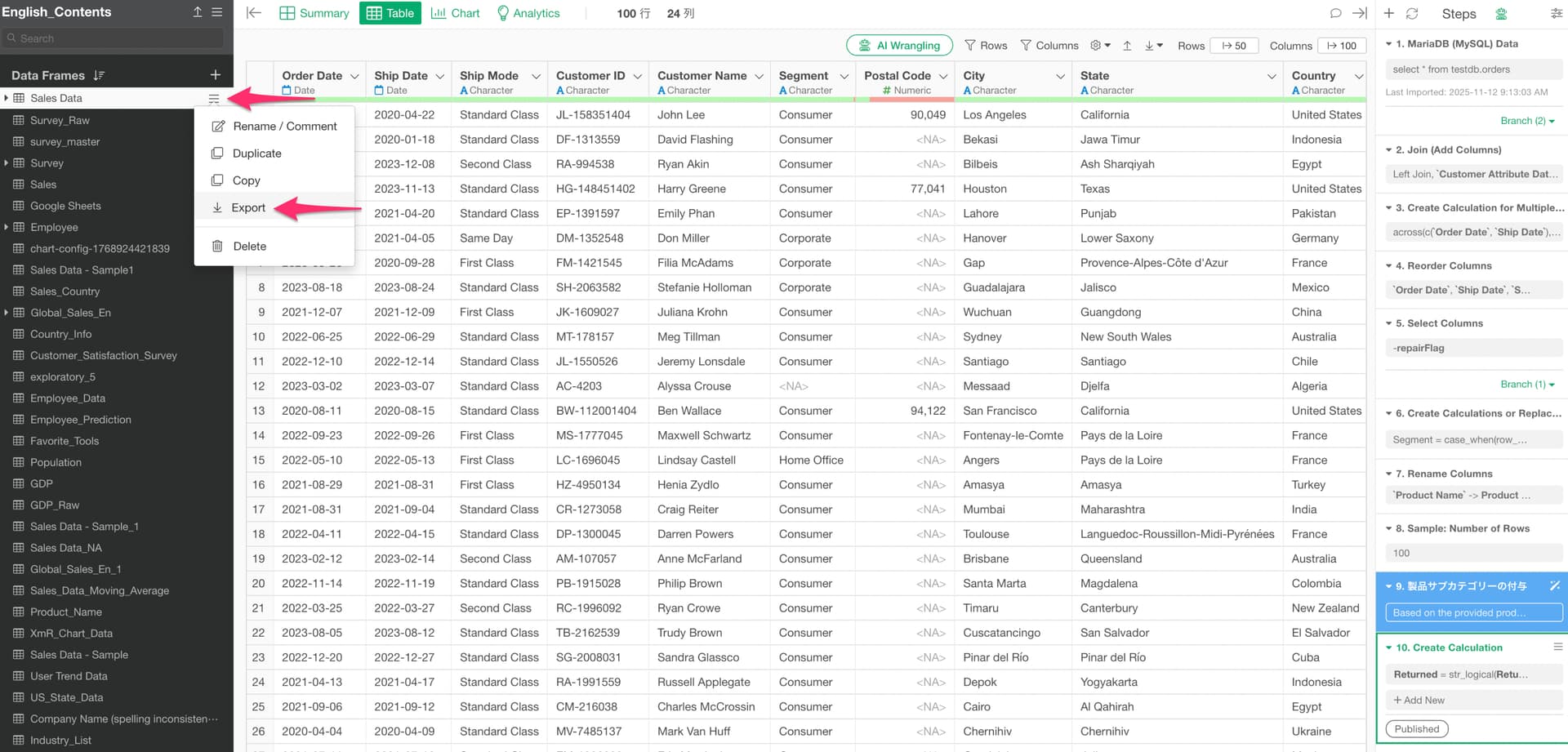
If publishing to the Exploratory Server is not available in your environment, you can export a data frame as a .df file or CSV file and share it with other members.
For data frame files:
For CSV and other formats:
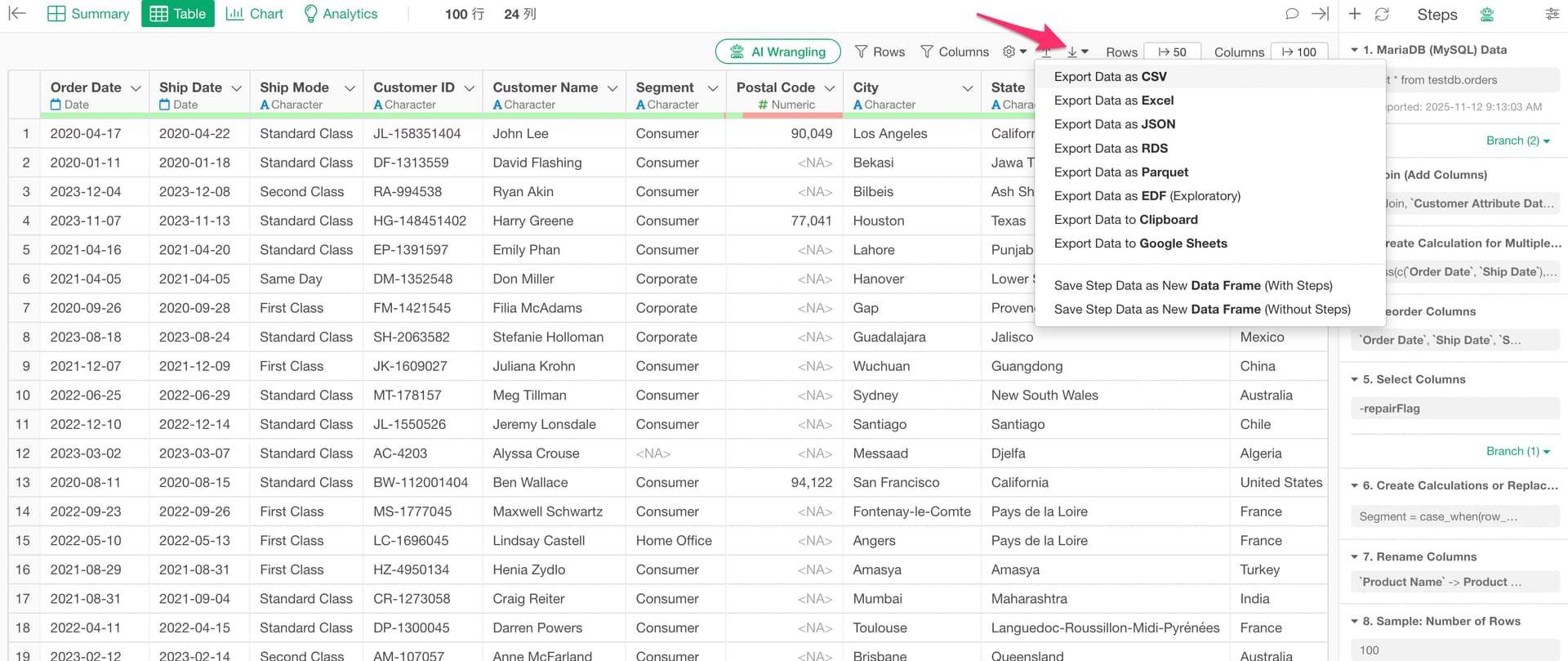
The recipients can then import the file into their own Exploratory to use the data.
3. Publish as a Project and Collaborate
By publishing an entire project to the Exploratory Server, team members can collaborate on and update the same project together. This allows you to share and co-edit not only data but also data wrangling steps and charts within the team.
For more details, please refer to the following note.