When converting to wide format, the following error may occur:
Error in values[spec$.name] : Can't subset columns with `spec$.name`.
✖ Subscript `spec$.name` can't contain the empty string.
✖ It has an empty string at location 1.
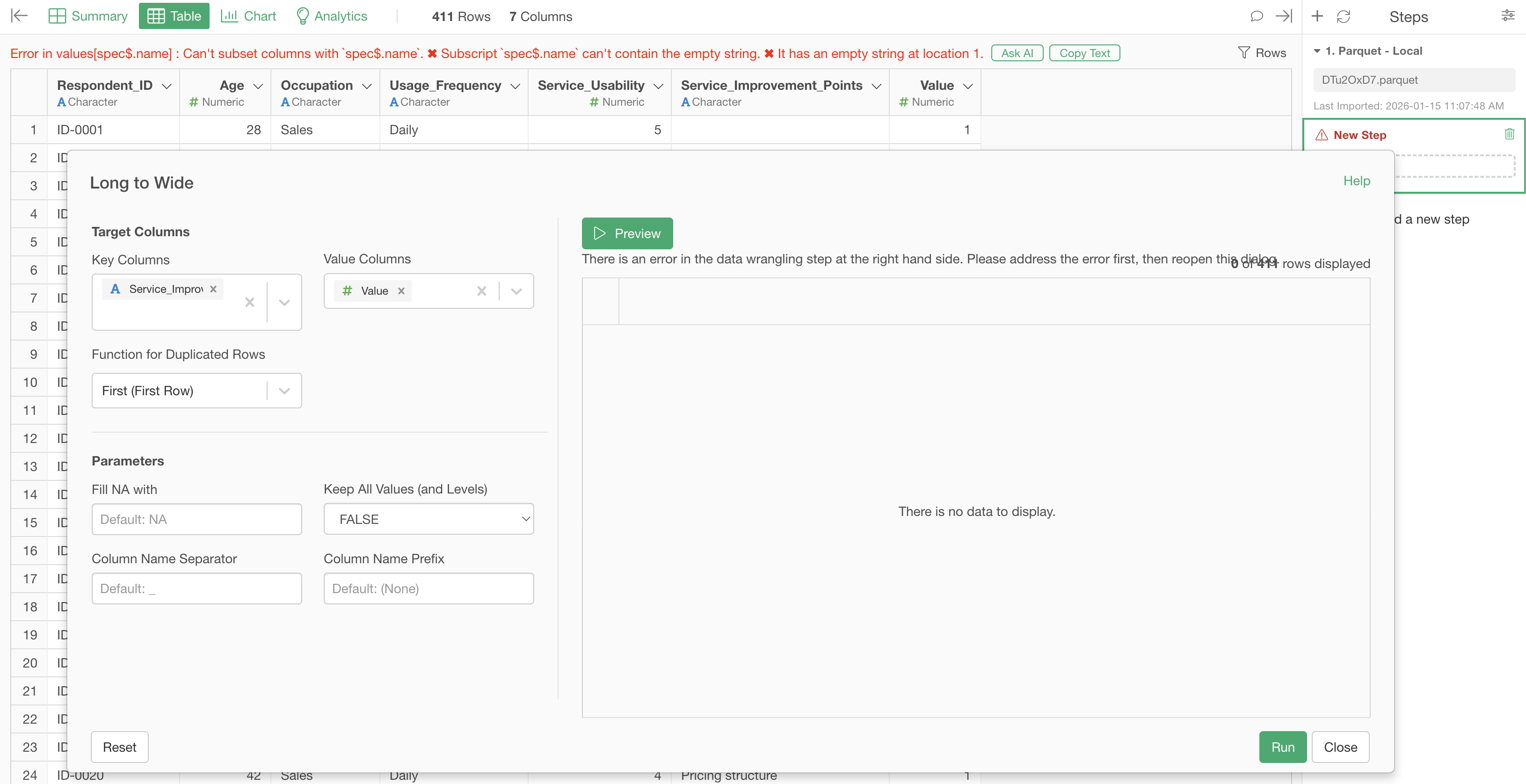
This error occurs when column names are created during the wide format conversion, and the columns assigned on the key column side contain empty strings.
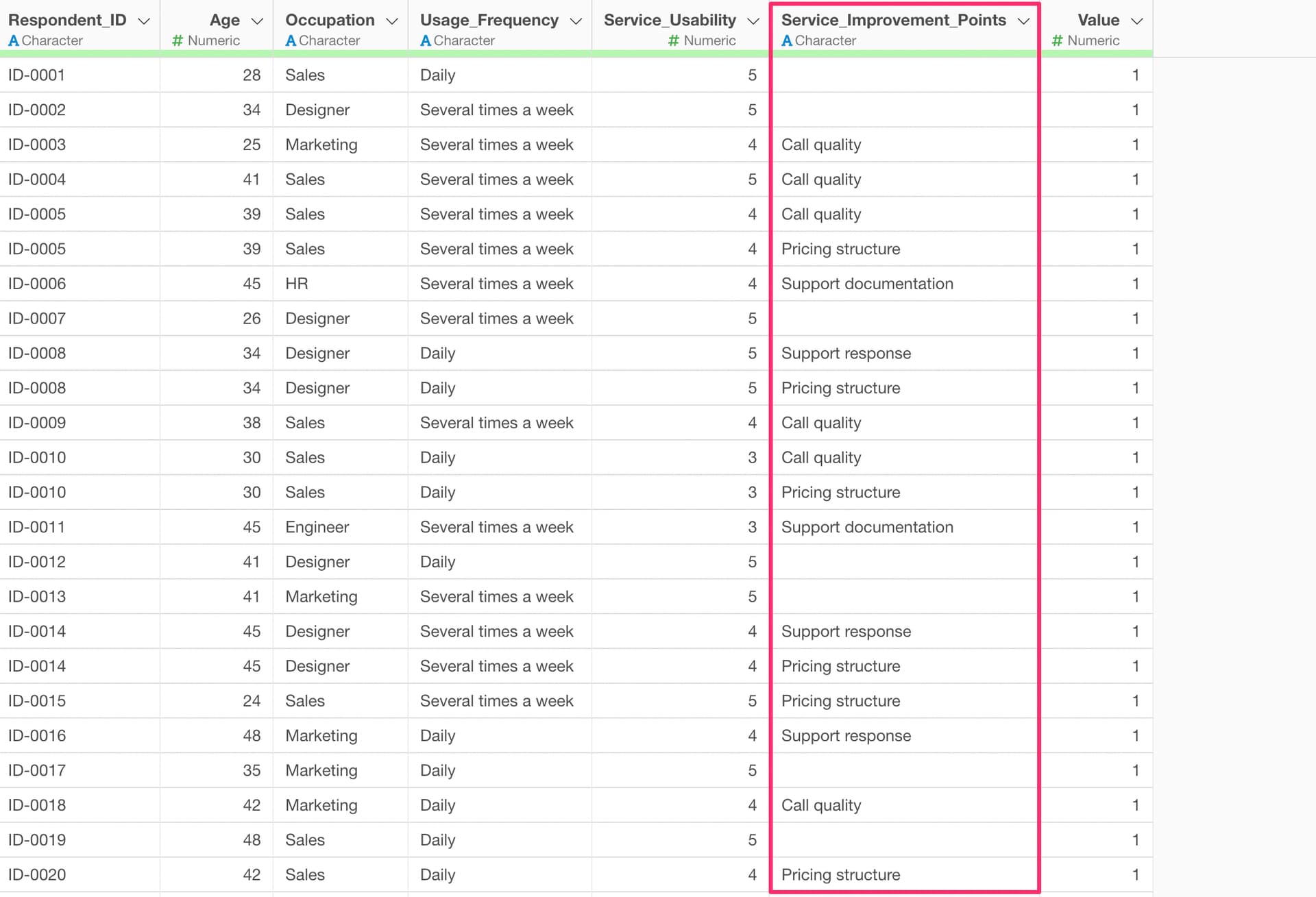
Therefore, please either convert empty strings to missing values in the key columns beforehand, or replace them with other values before attempting the wide format conversion.
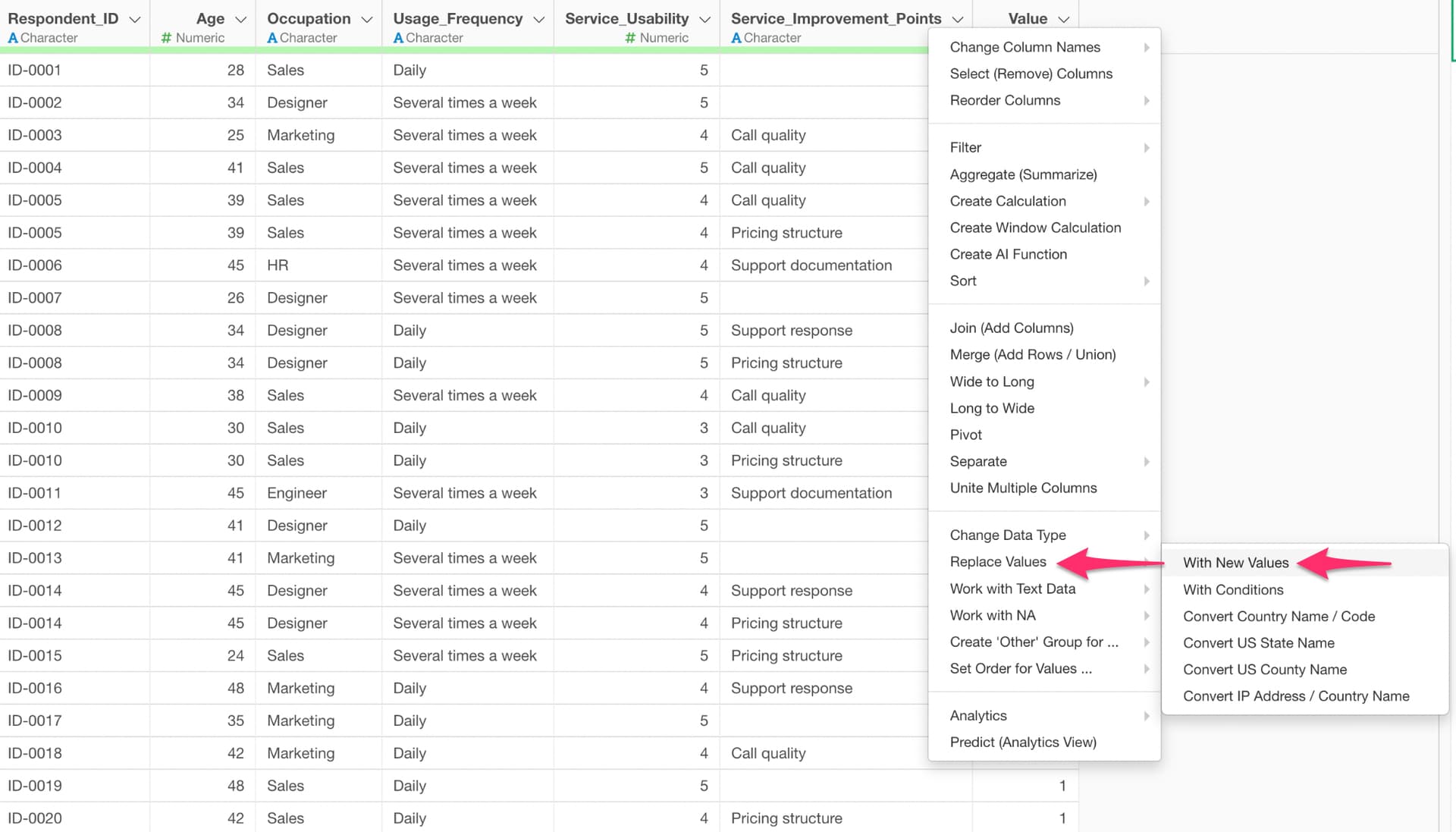
As a value replacement method, select “Replace Values” > “With New Value” from the column header menu.
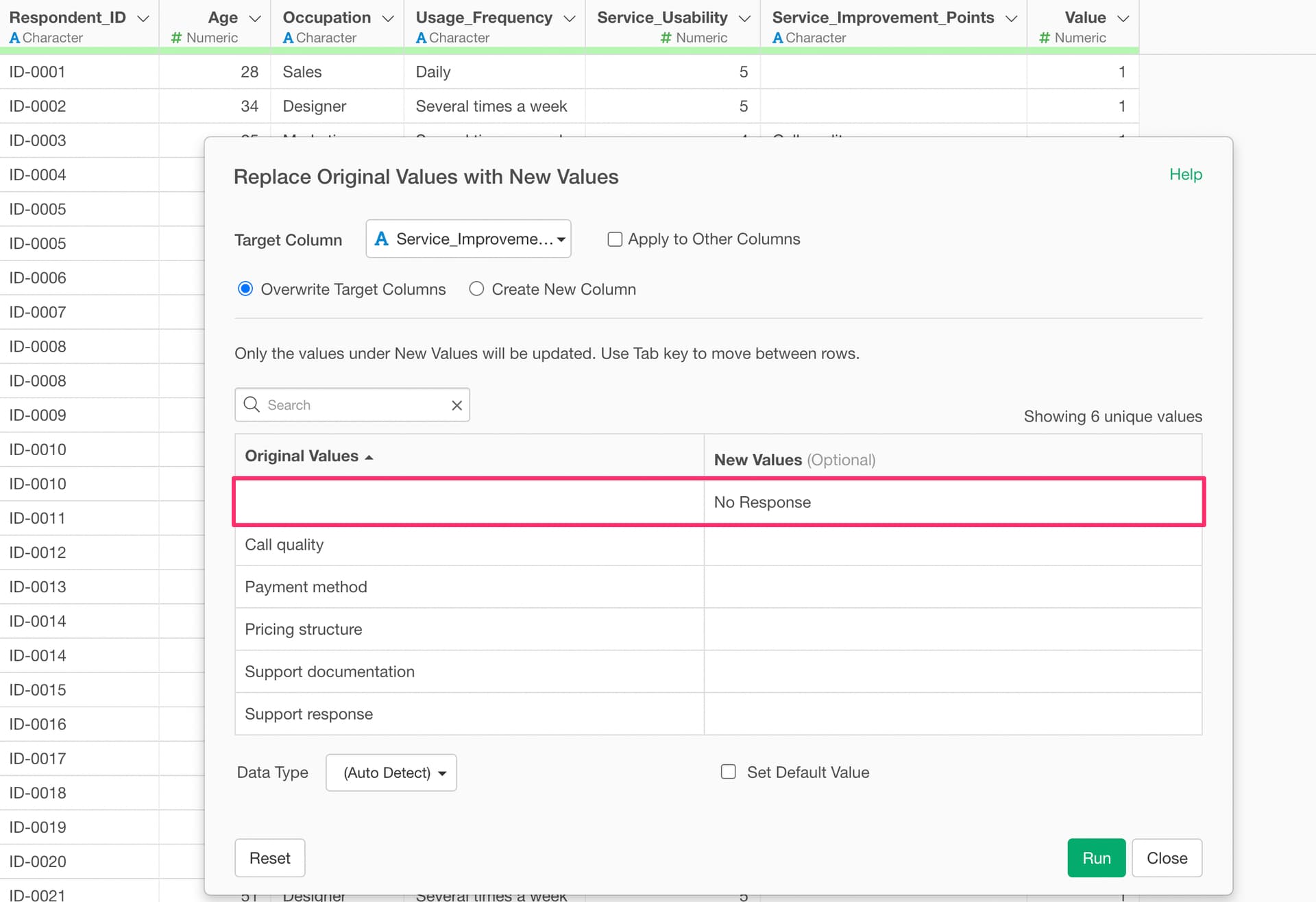
The Replace Values dialog will appear, allowing you to specify a new value for empty strings.