
When exporting data from a Pivot Table or Summary Table in Exploratory Desktop or Exploratory Server, the exported file may not include all rows of data.
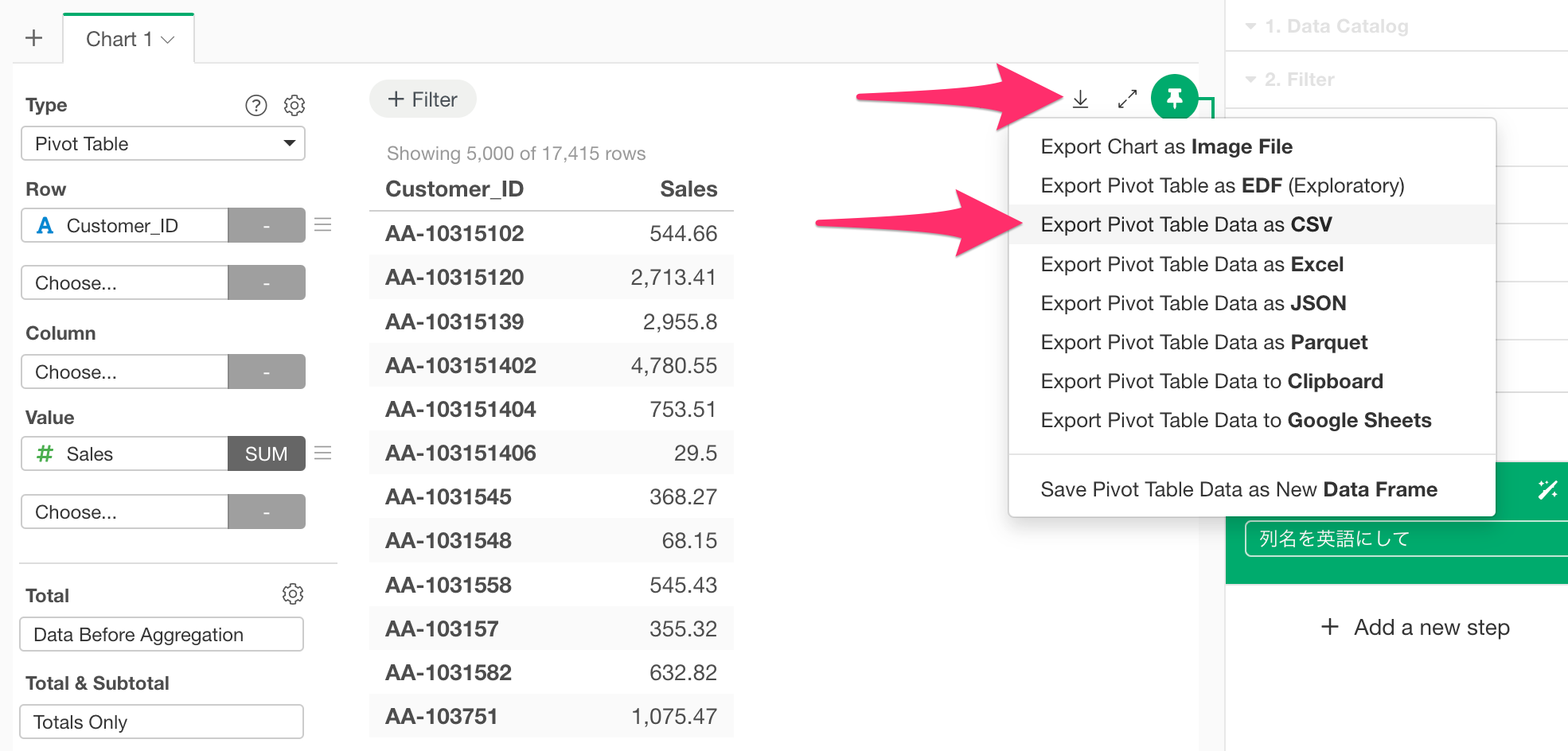
In many cases, this occurs because Exploratory’s Pivot Tables and Summary Tables have a default limit on the number of rows displayed to ensure performance. For Pivot Tables or Summary Tables with a large number of rows, this results in not all data being displayed.
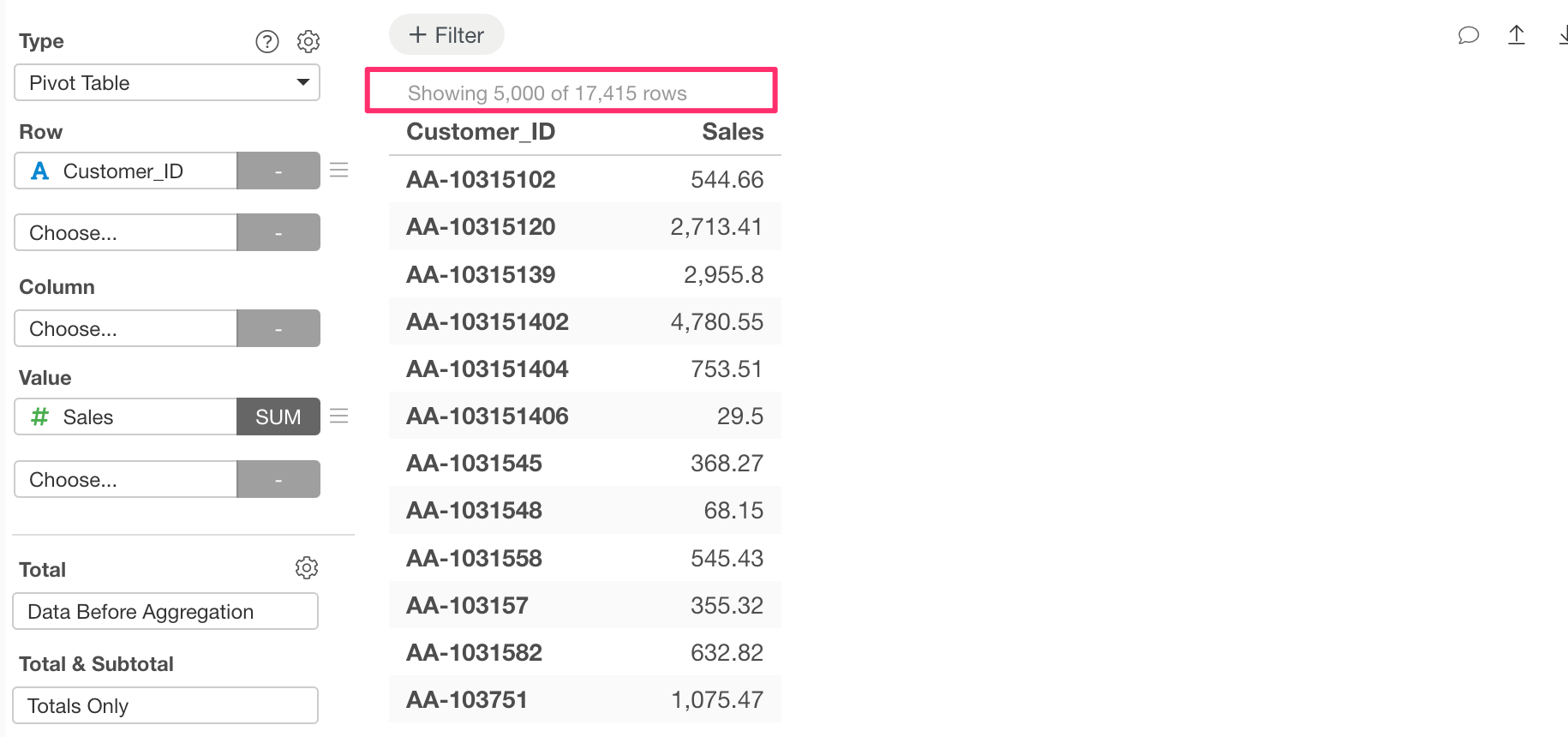
If you export data from a Pivot Table or Summary Table in Exploratory Desktop or Exploratory Server in this state, only the displayed data will be exported.
Therefore, if you wish to export all rows of data, you first need to display all the rows.
Specifically, click the gear icon in the chart settings dialog and switch to the Data tab.
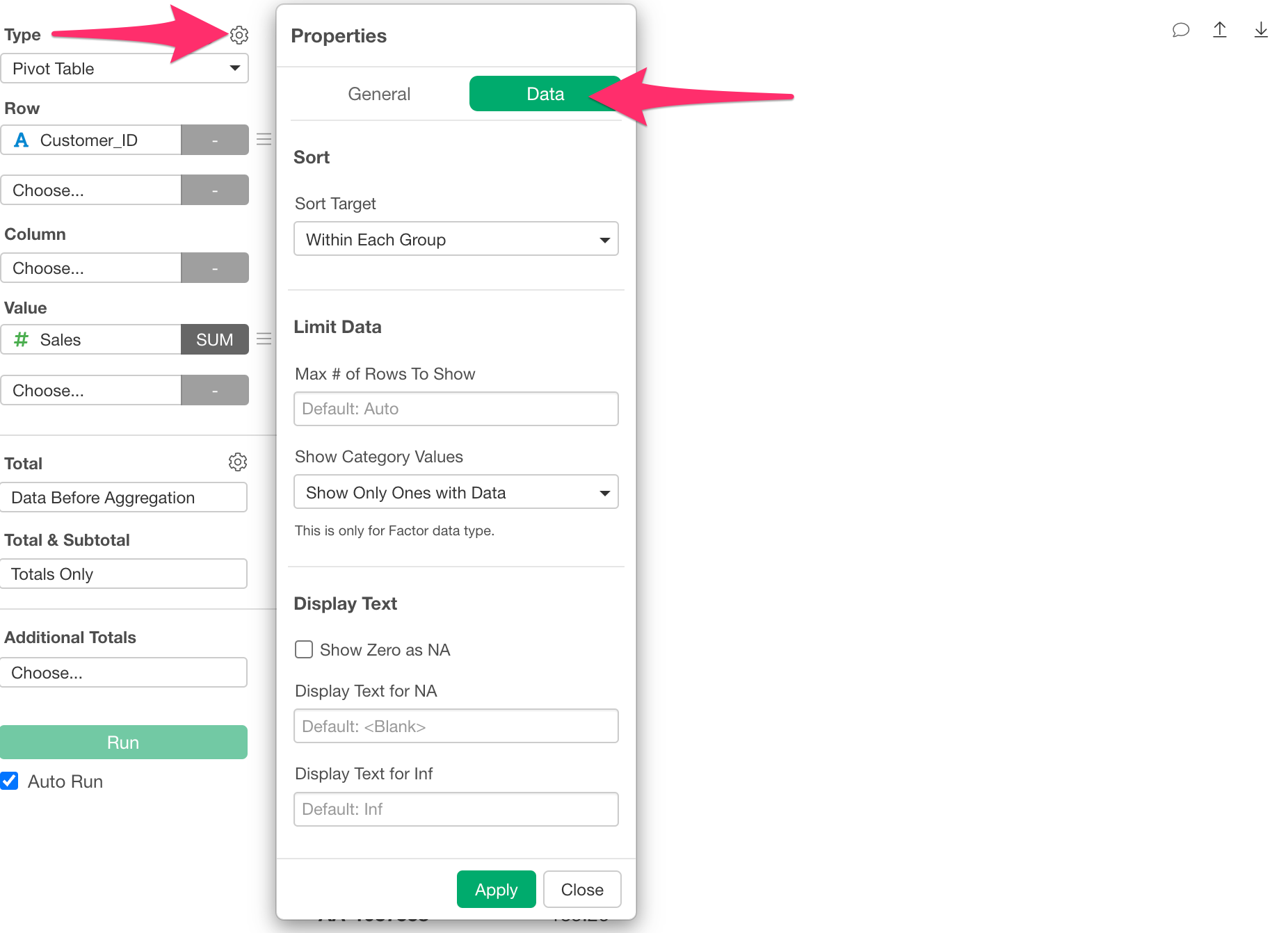
You will find a section called “Limit Data,” where you can change the maximum number of rows to the number you wish to display. Please note that setting a very large number may increase the time required for rendering.
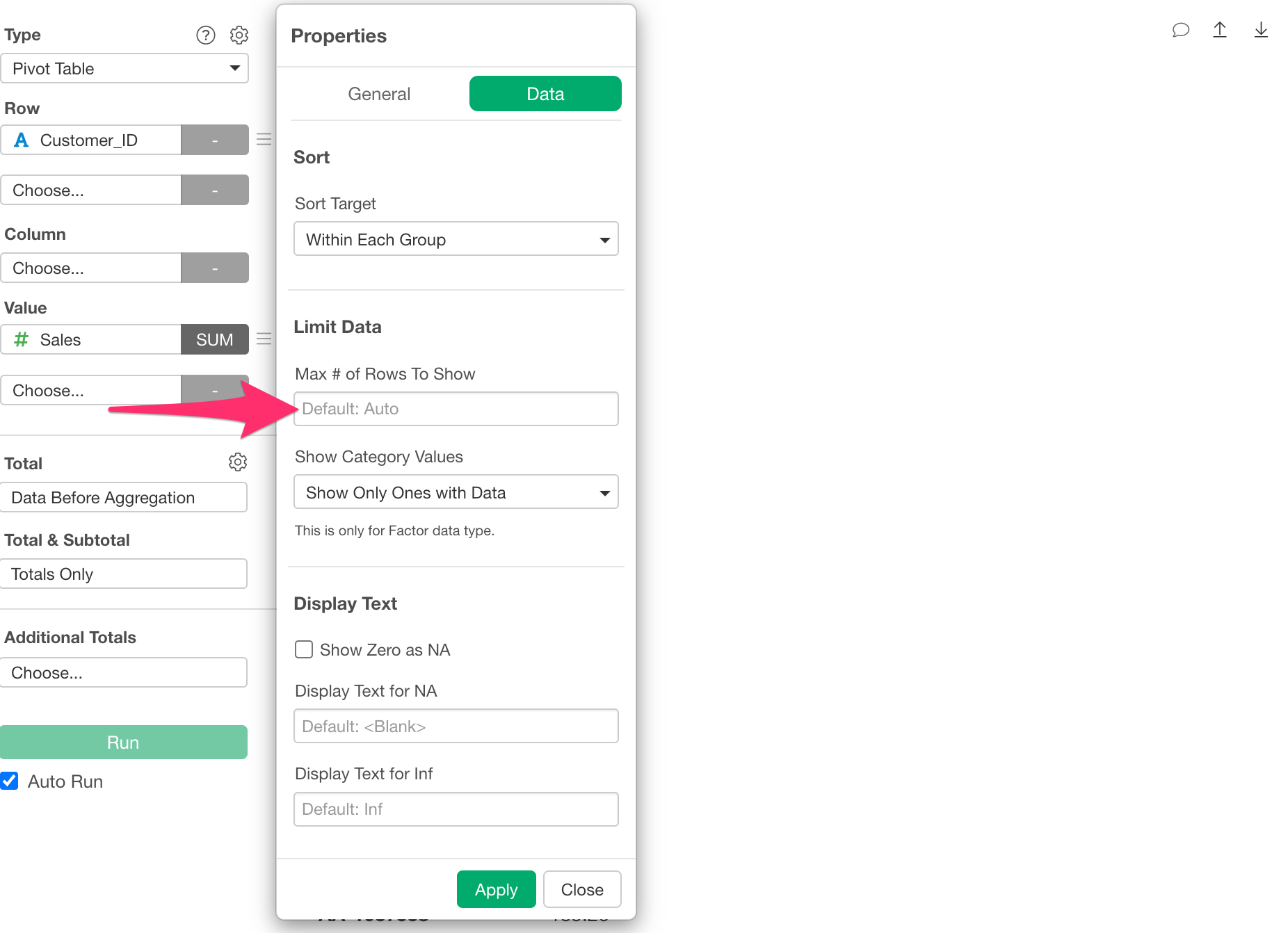
By changing the above setting, it becomes possible to retrieve all rows of data from Exploratory Desktop.
For content published to the server, you will be able to export all rows of data by re-publishing the content that includes the relevant chart.