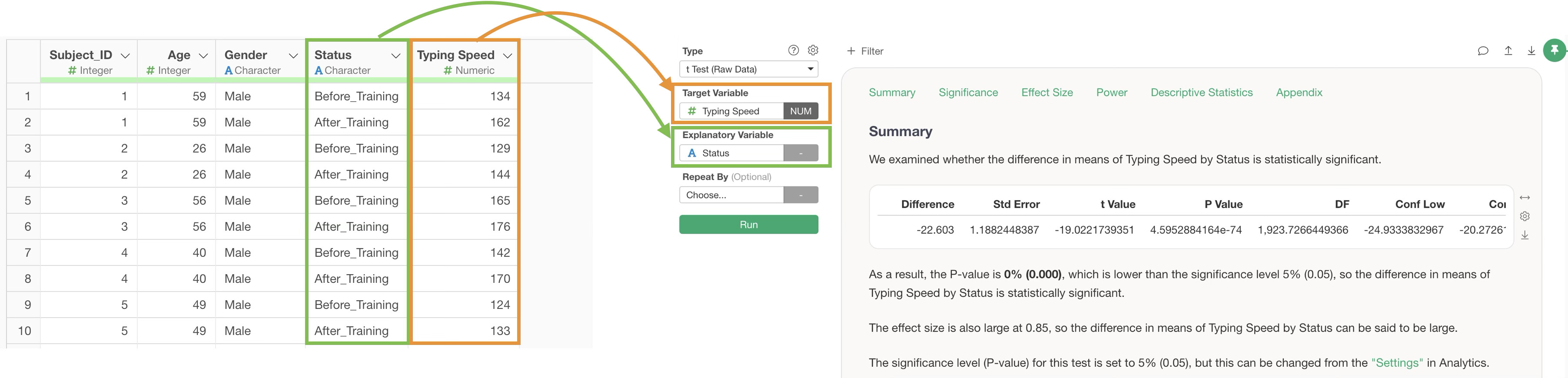
In Exploratory’s t-test, the data format requires each row to represent a single observation, with one of the columns indicating which of the two comparison groups the observation belongs to.
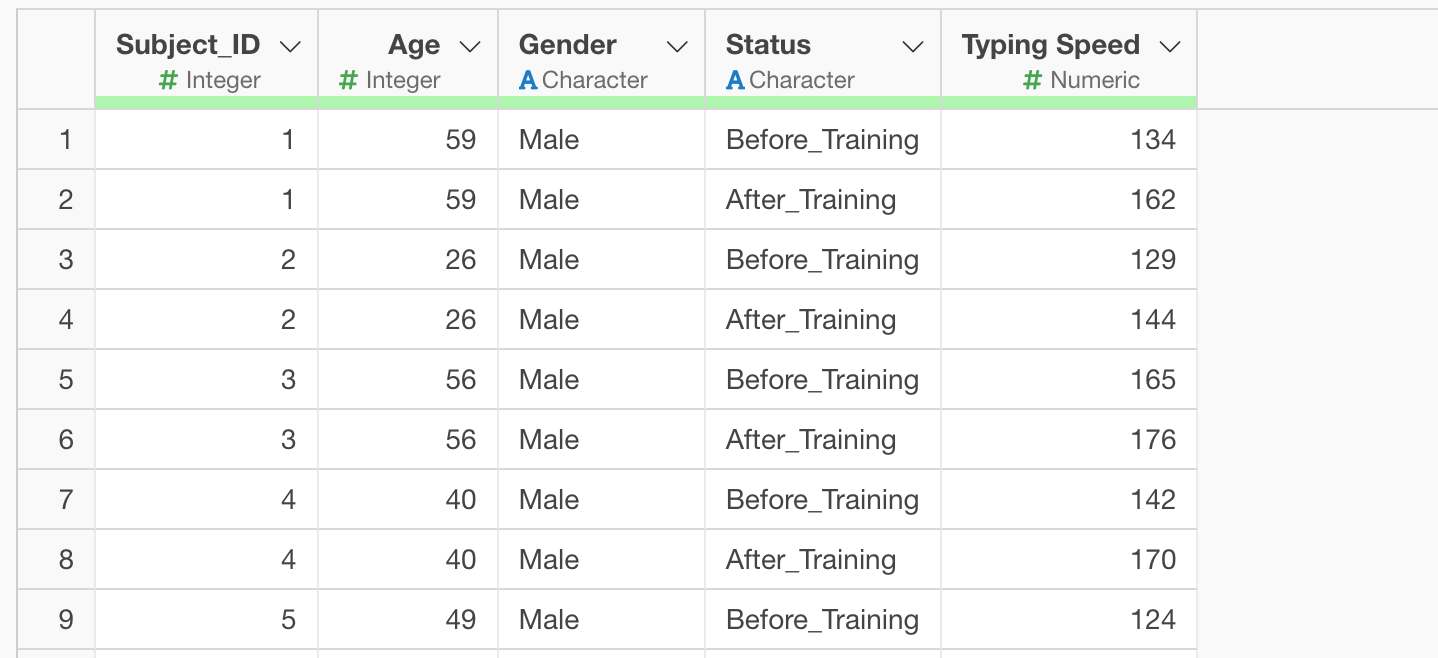
For example, in the case above, each row represents one person’s typing speed measurement, and the “Status” column indicates whether it was measured “Before” or “After” training.
However, sometimes you may have wide-format data where each row represents one individual, and the columns contain multiple measurement values, like in the example below:
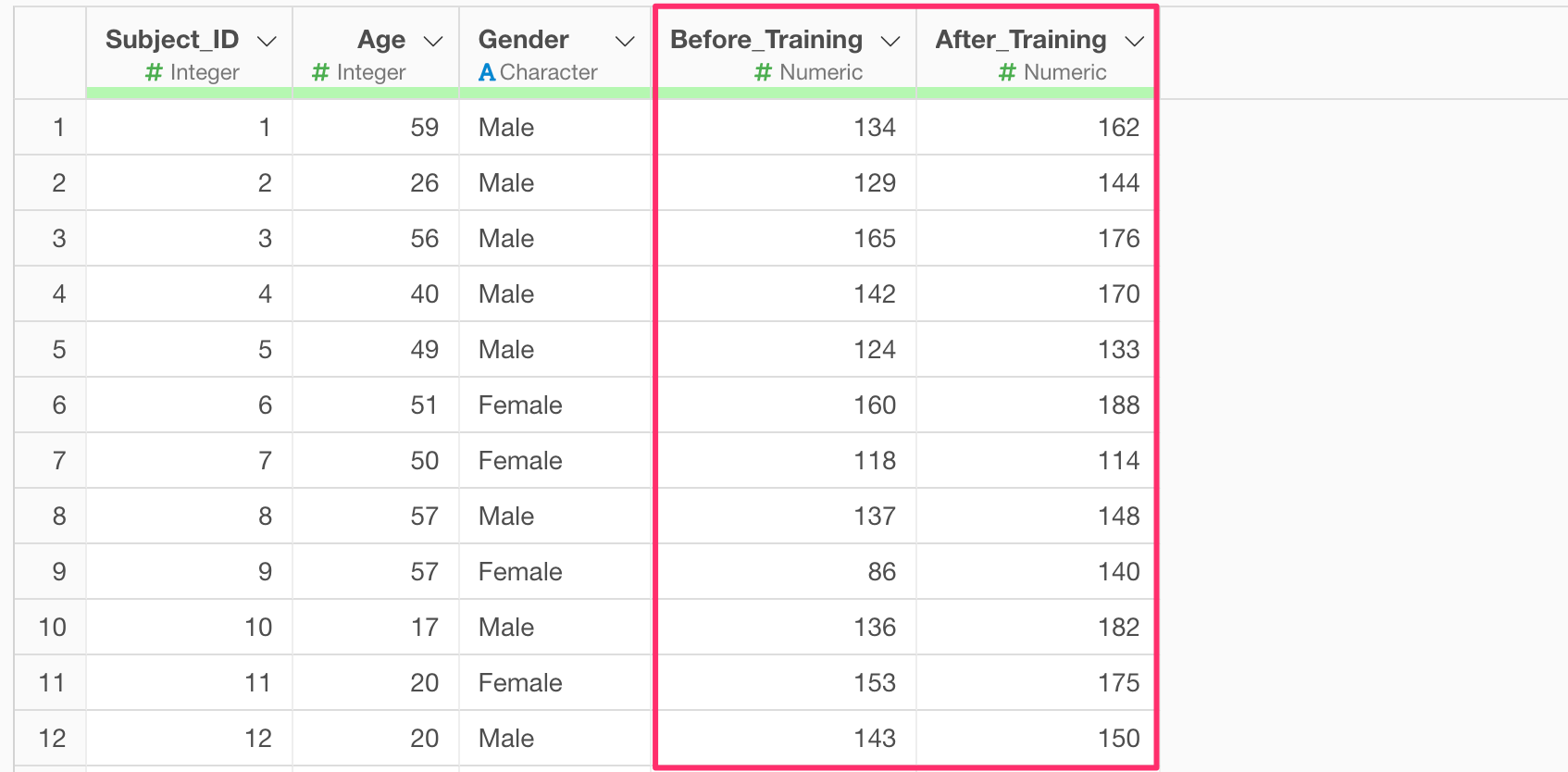
If this is the only data format available, you’ll need to convert it into the proper format before performing a t-test.
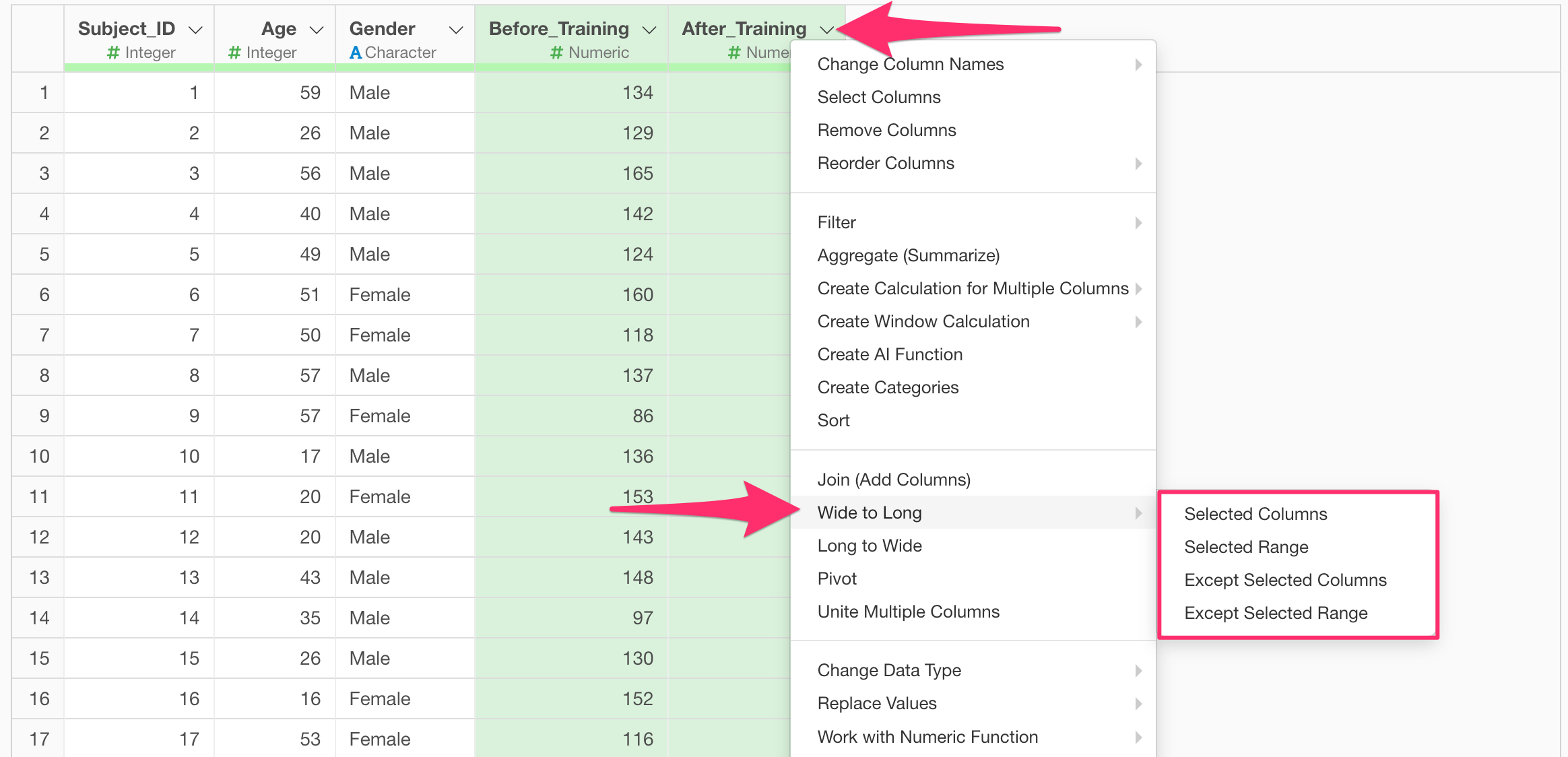
Specifically, you can select the measurement columns and use the column header menu to transform the data from wide format to long format. This makes the data suitable for a t-test. (For more on long-format conversion, please refer to this guide.)
Once your data is converted to long format, you can perform a t-test by selecting the measurement column as the dependent variable and the group information column as the explanatory variable.