This article introduces how to install new R packages from CRAN.
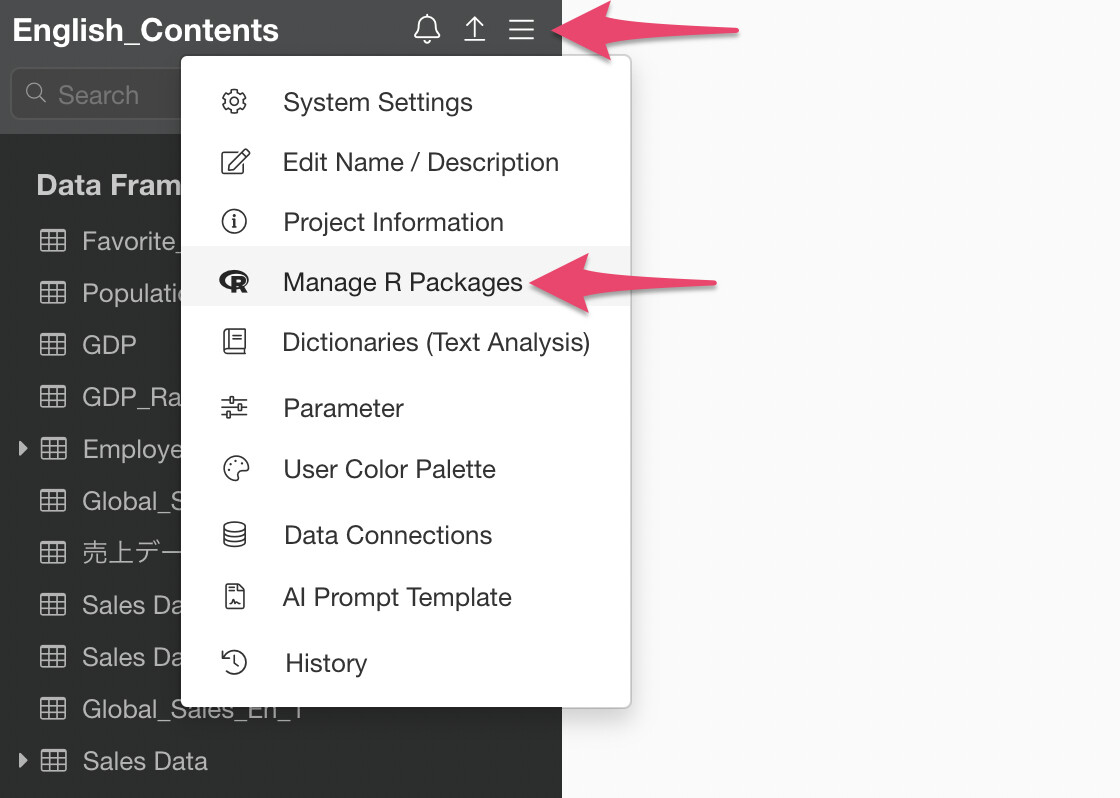
Select “Manage R Packages” from the project menu.
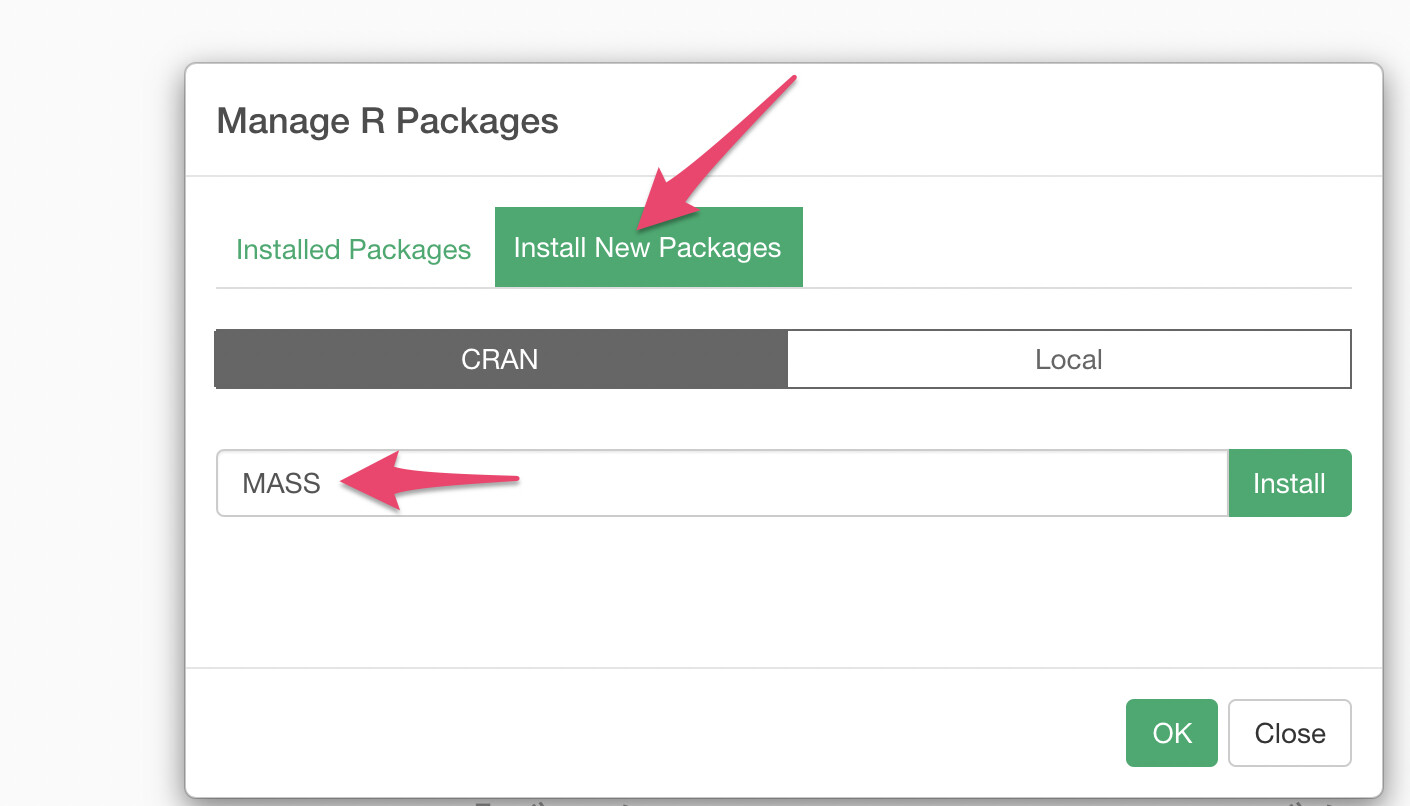
Next, select “Install Package”, enter the package name available on CRAN, and click the “Install” button.
R packages installed by users can be managed on a per-project basis to determine whether to apply them.
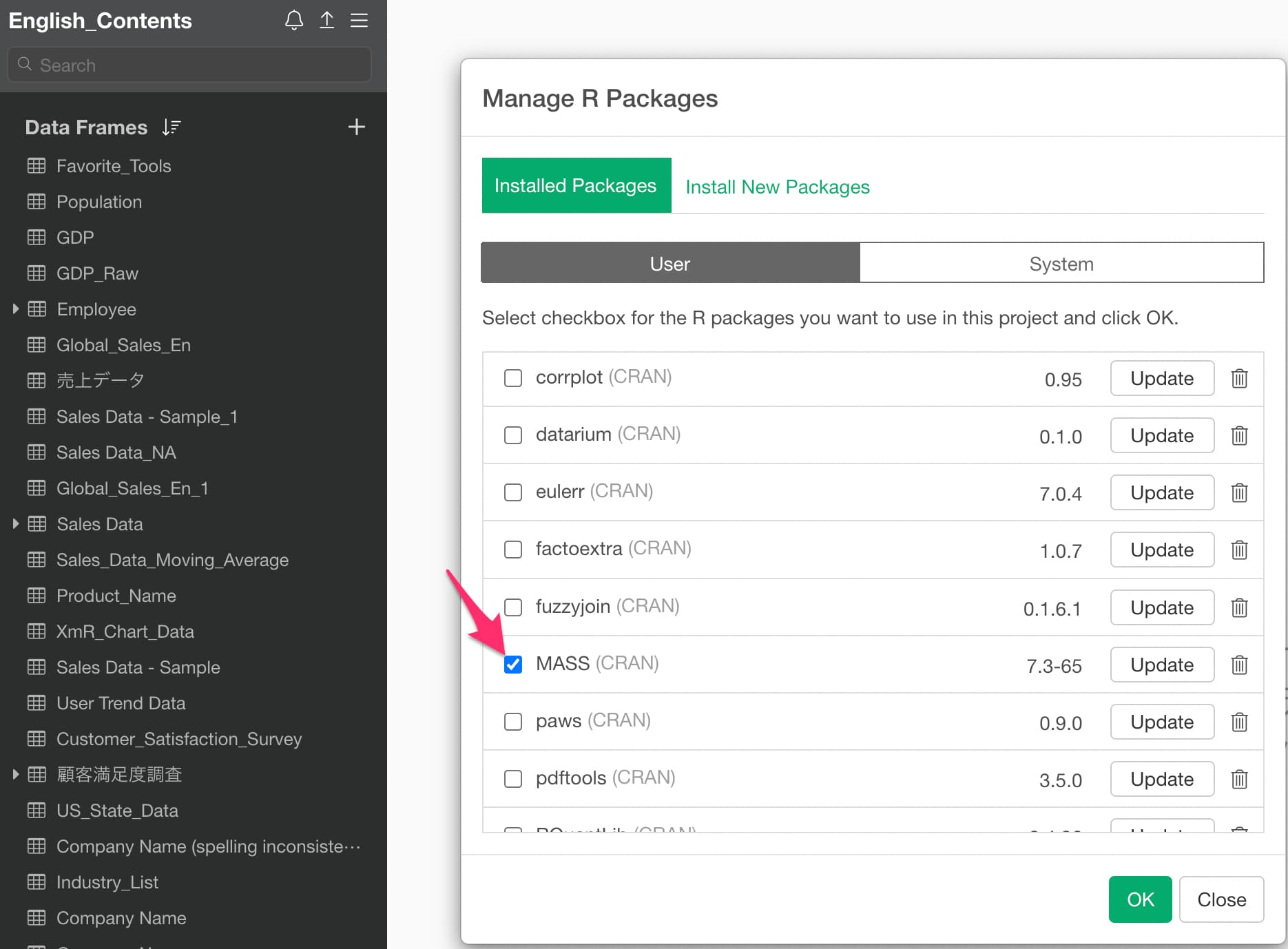
If you want to use a specific R package in the relevant project, check the package you want to use from “Installed Packages” and click the OK button.