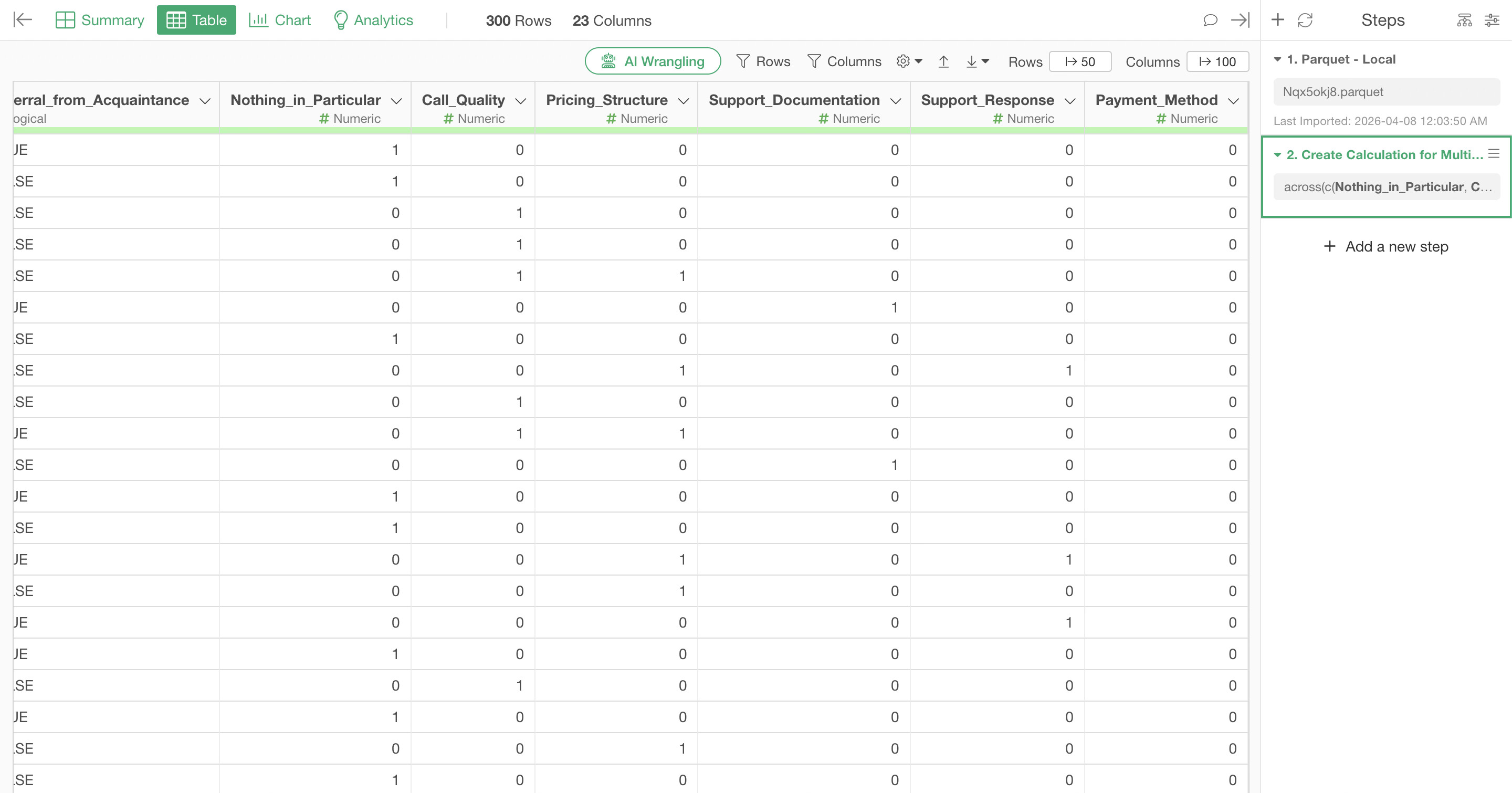
There are cases where you want to fill missing values across multiple columns at once with a specific value.
For example, in survey data where each answer choice has its own column, unanswered items may appear as missing values (NA). In such cases, you may want to replace those missing values with 0.
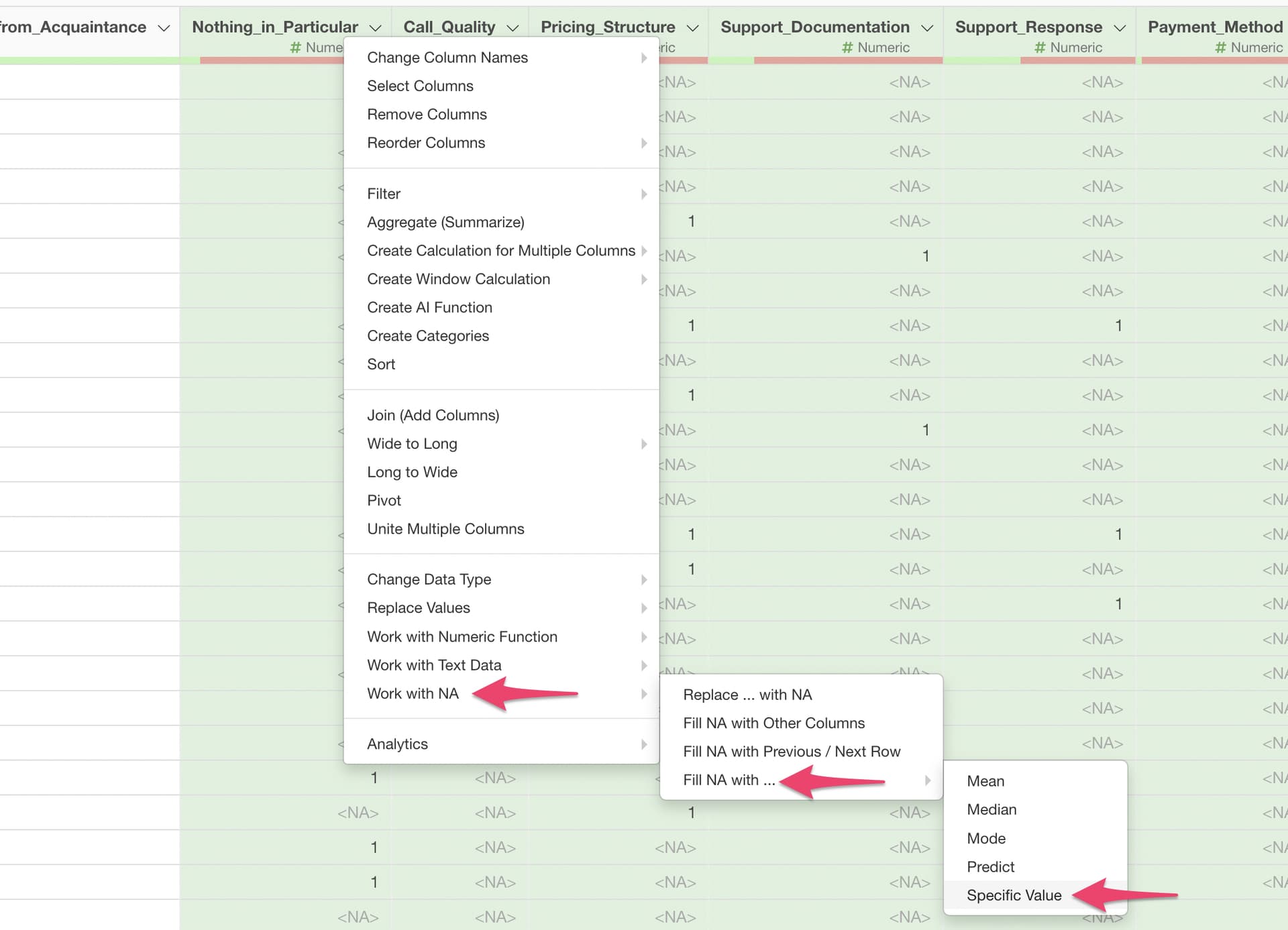
To do this, select the target columns while holding down the Command key on Mac or the Ctrl key on Windows, then open the column header menu and choose “Work with NA” → “Fill with NA" → “Specific Value.”
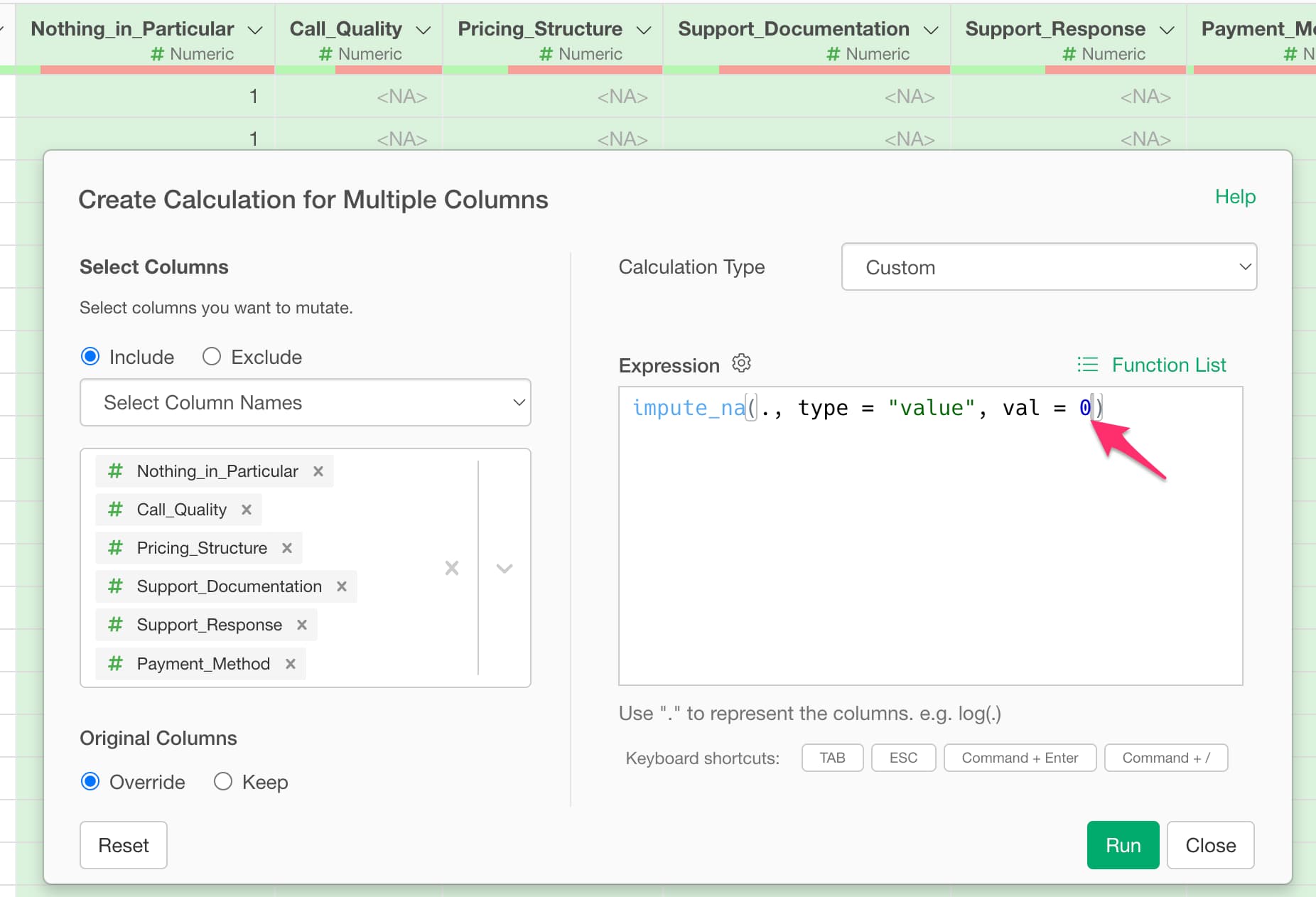
The “Create Calculation for Multiple Columns” dialog will appear. Choose how to specify the target columns, enter the value you want to use for the val argument (for example, 0), and run it.
This allows you to fill missing values with 0 across multiple columns at once.