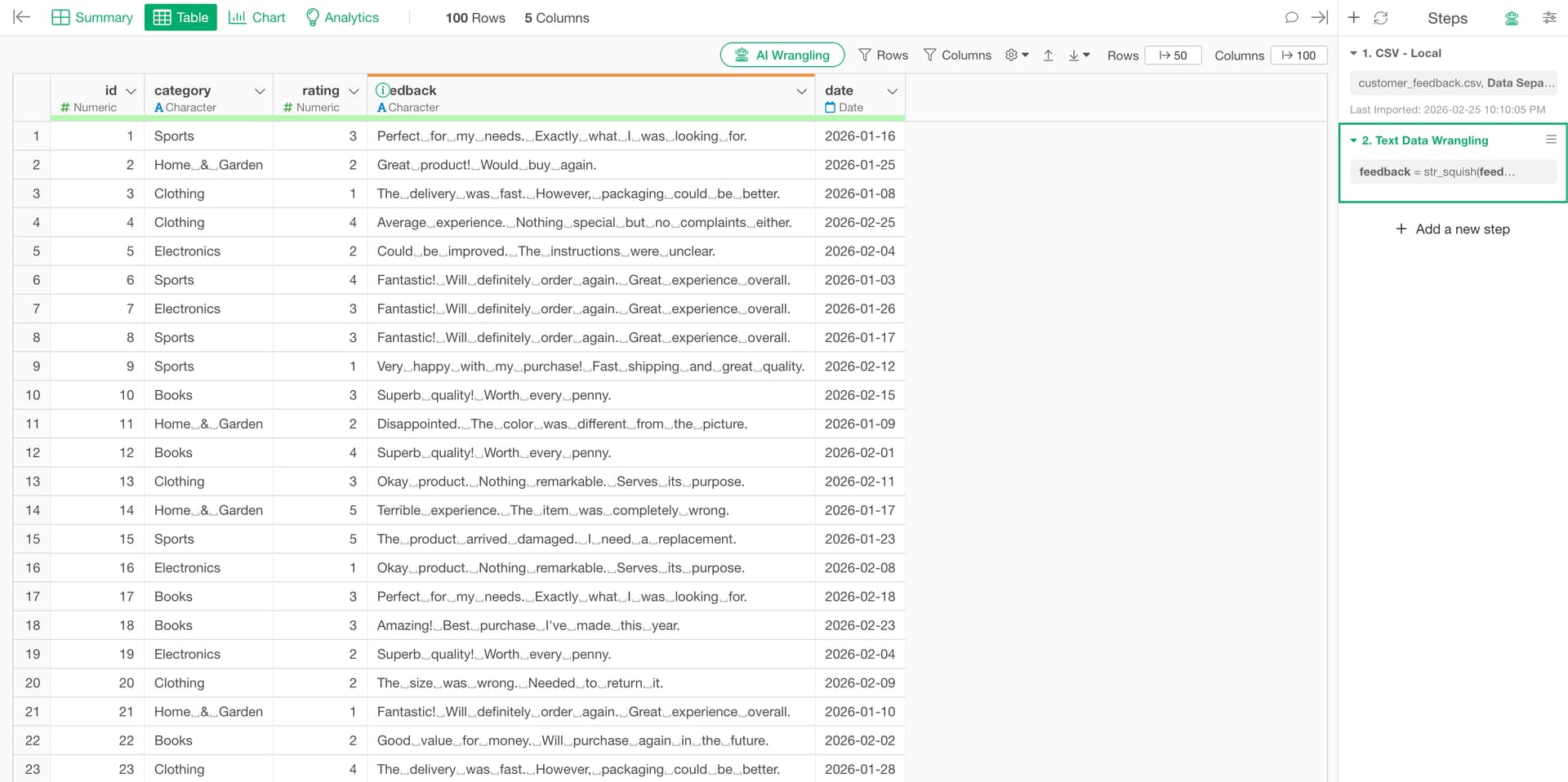
When you import text data from CSV files or spreadsheets, the data may contain newline characters (\n) or tab characters (\t).
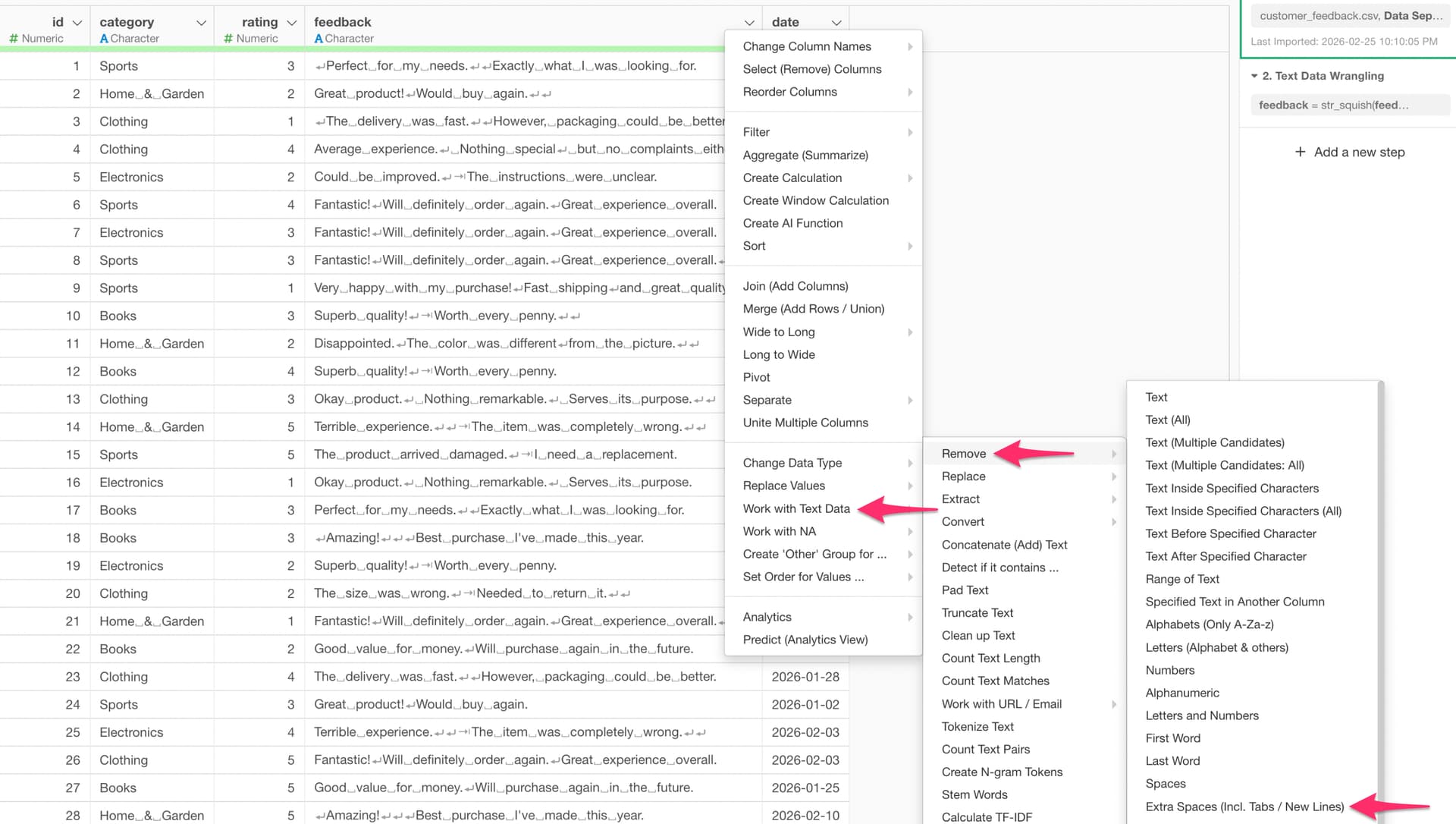
You can remove them by using “Extra Spaces (Incl. Tabs / New Lines)” under the text data wrangling menu.
Select the column header menu, then go to “Work with Text Data” → “Remove” → “Extra Spaces (Incl. Tabs / New Lines)”.
Internally, this uses the str_squish function, which replaces consecutive whitespace, tabs, and newline characters with a single space, and also removes leading and trailing whitespace from the string.
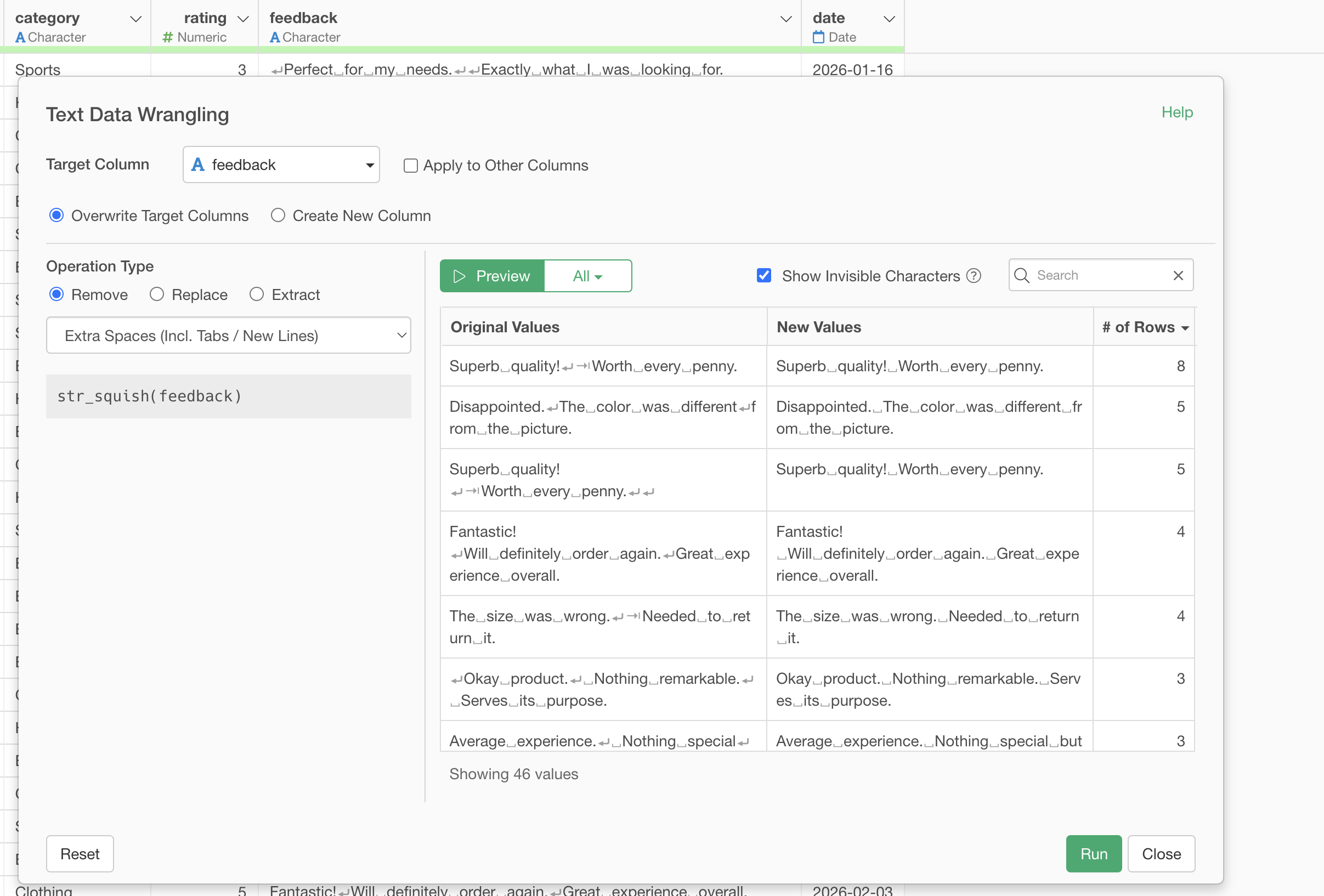
After running this step, the newline and tab characters have been successfully removed from the text.