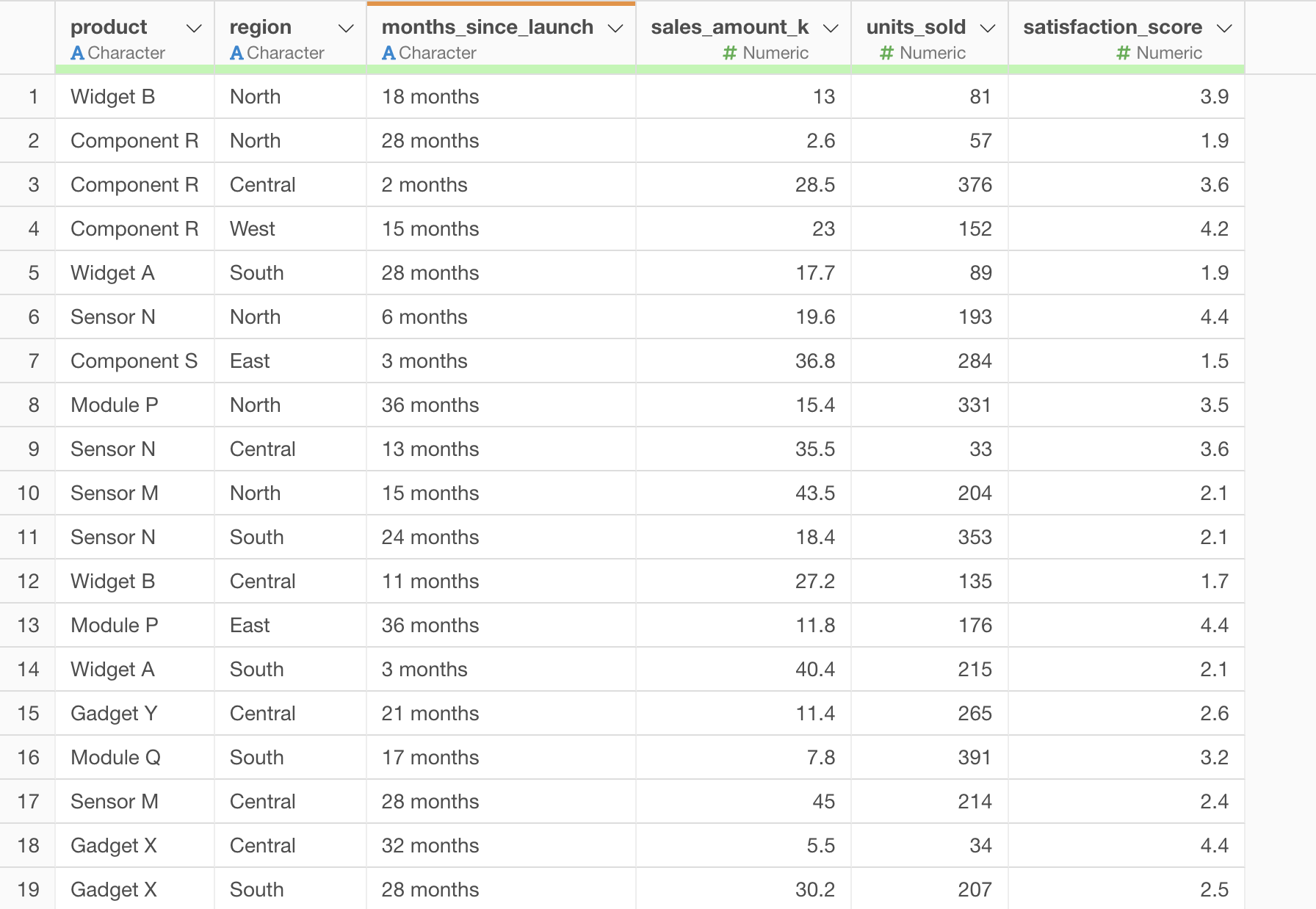
You can use the str_c function to add strings to numeric values.
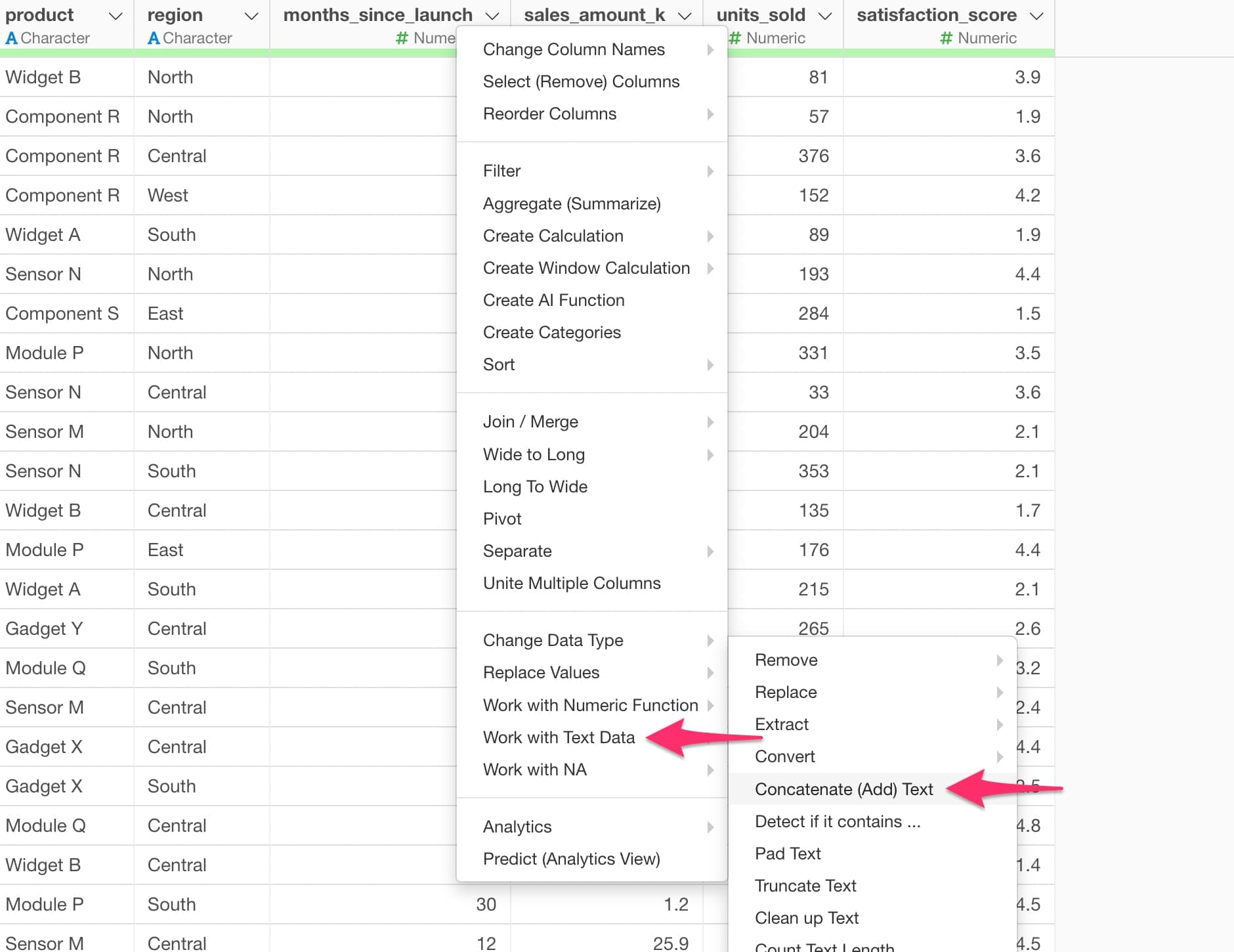
Select the column header menu, then go to “Work with Text Data” → “Concatenate (Add) Text”.
In the dialog, use the str_c function as follows. For example, if you have a numeric column called months and want to create values like “12 months”, you can write:
str_c(months_since_launch, " months")
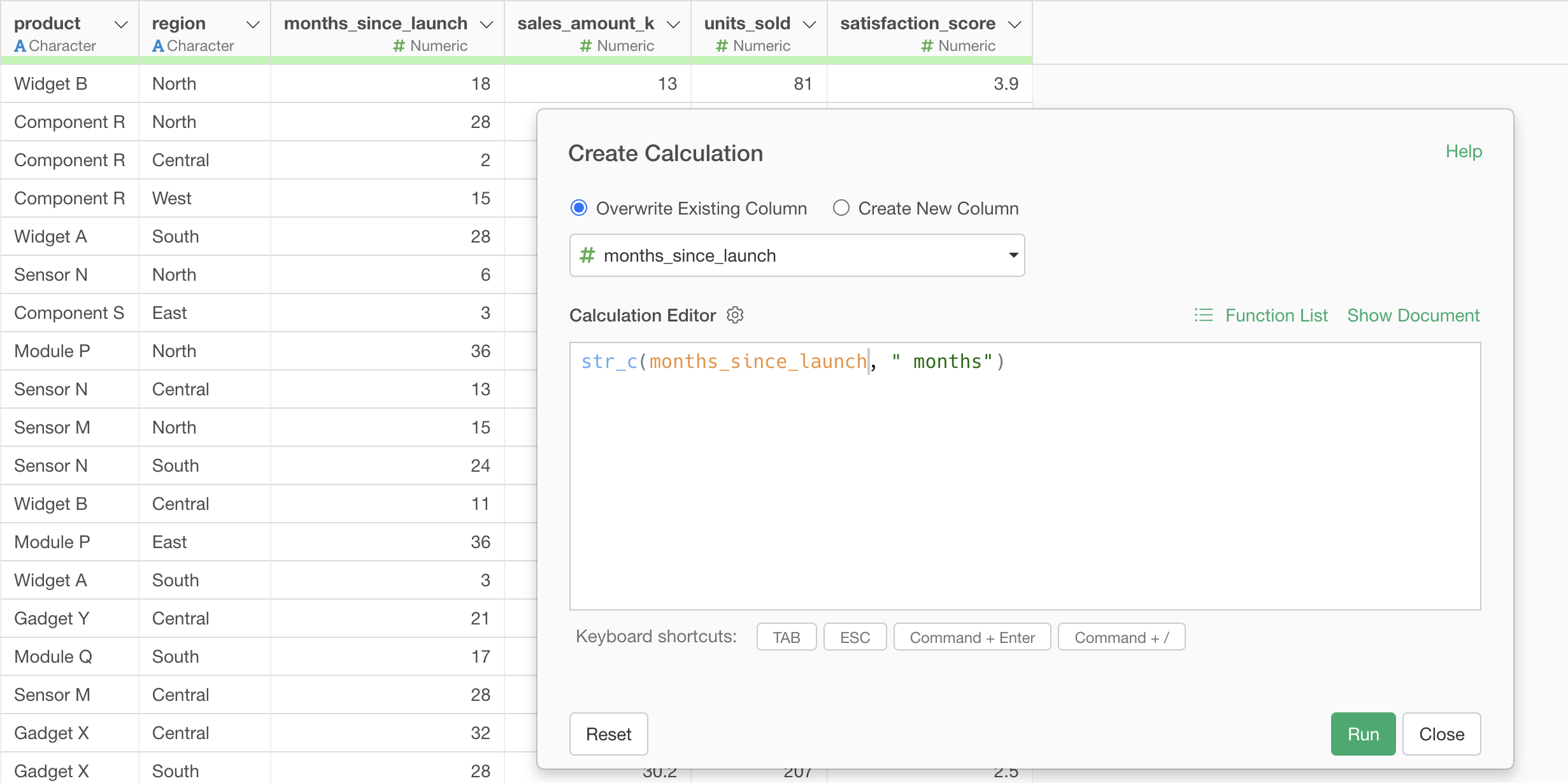
After running it, the string has been successfully added to the months column.