
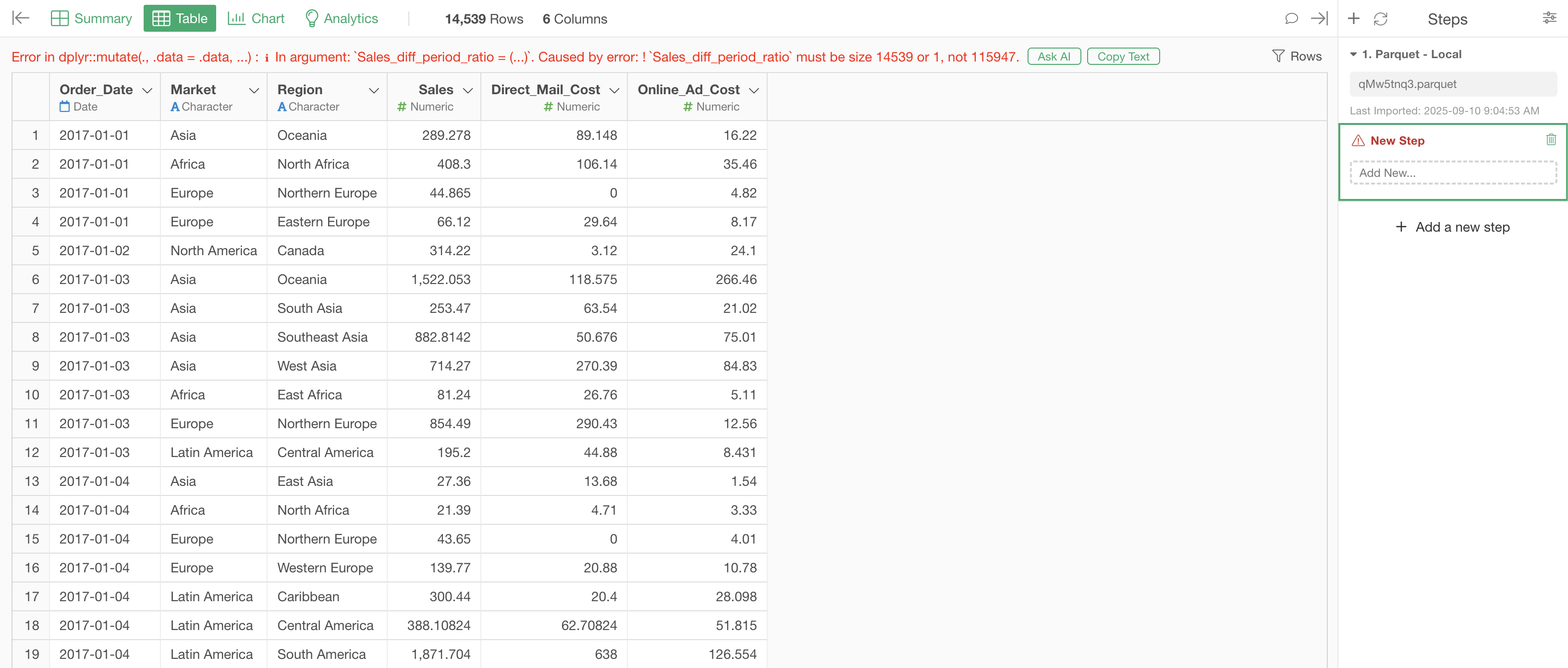
When calculating year-over-year comparisons in spreadsheets, if the original data contains multiple entries with the same date, you may encounter an error like “must be size 1574 or 1, not 8332”.
For example, in the following data where each row represents one order, the same date appears multiple times:
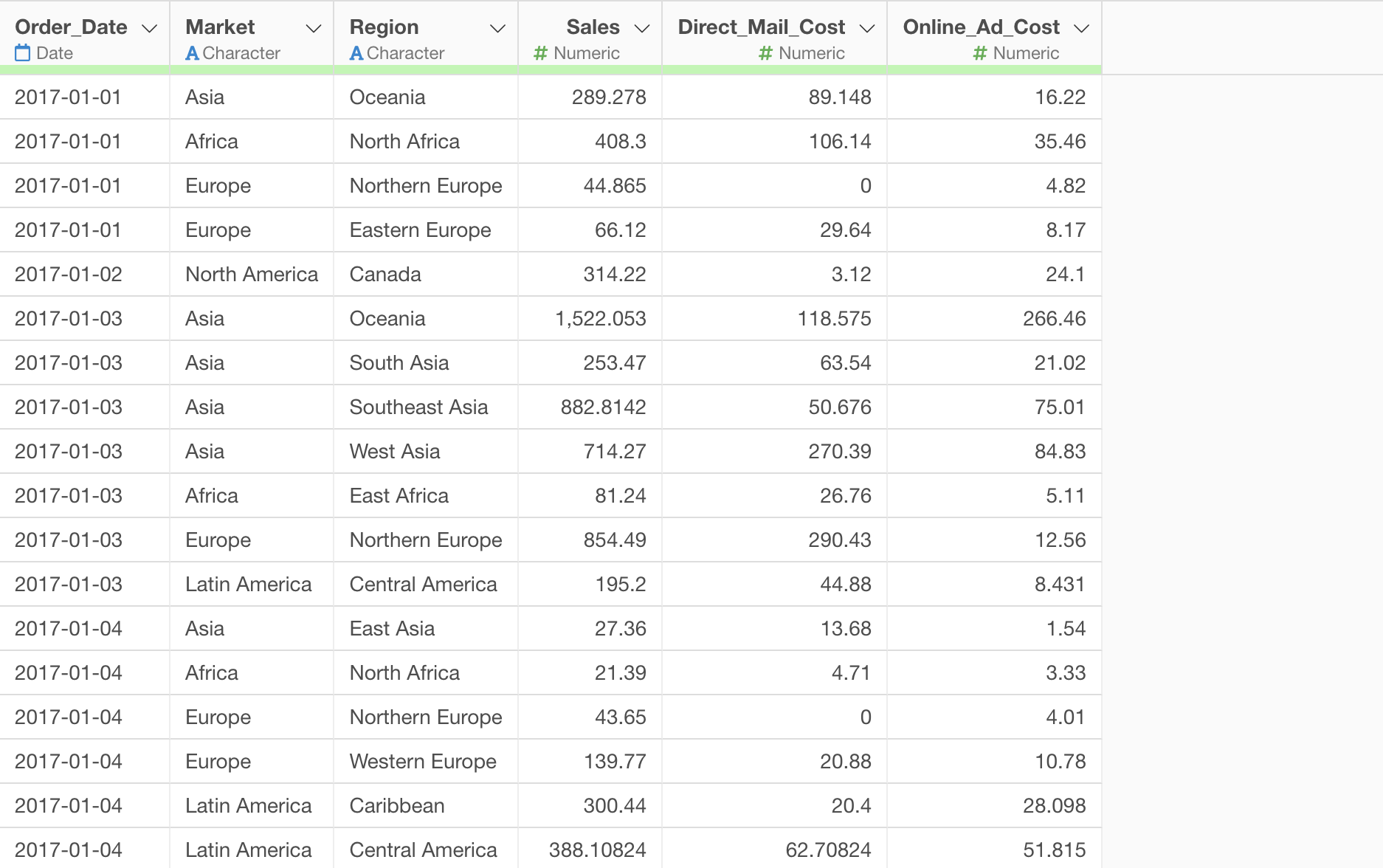
In this case, since multiple values exist for one year ago, the system cannot determine which combination to use for the year-over-year calculation, resulting in the “must be size” error.
On the other hand, if each row represents a monthly unit of data, there is only one row for the value from one year ago:
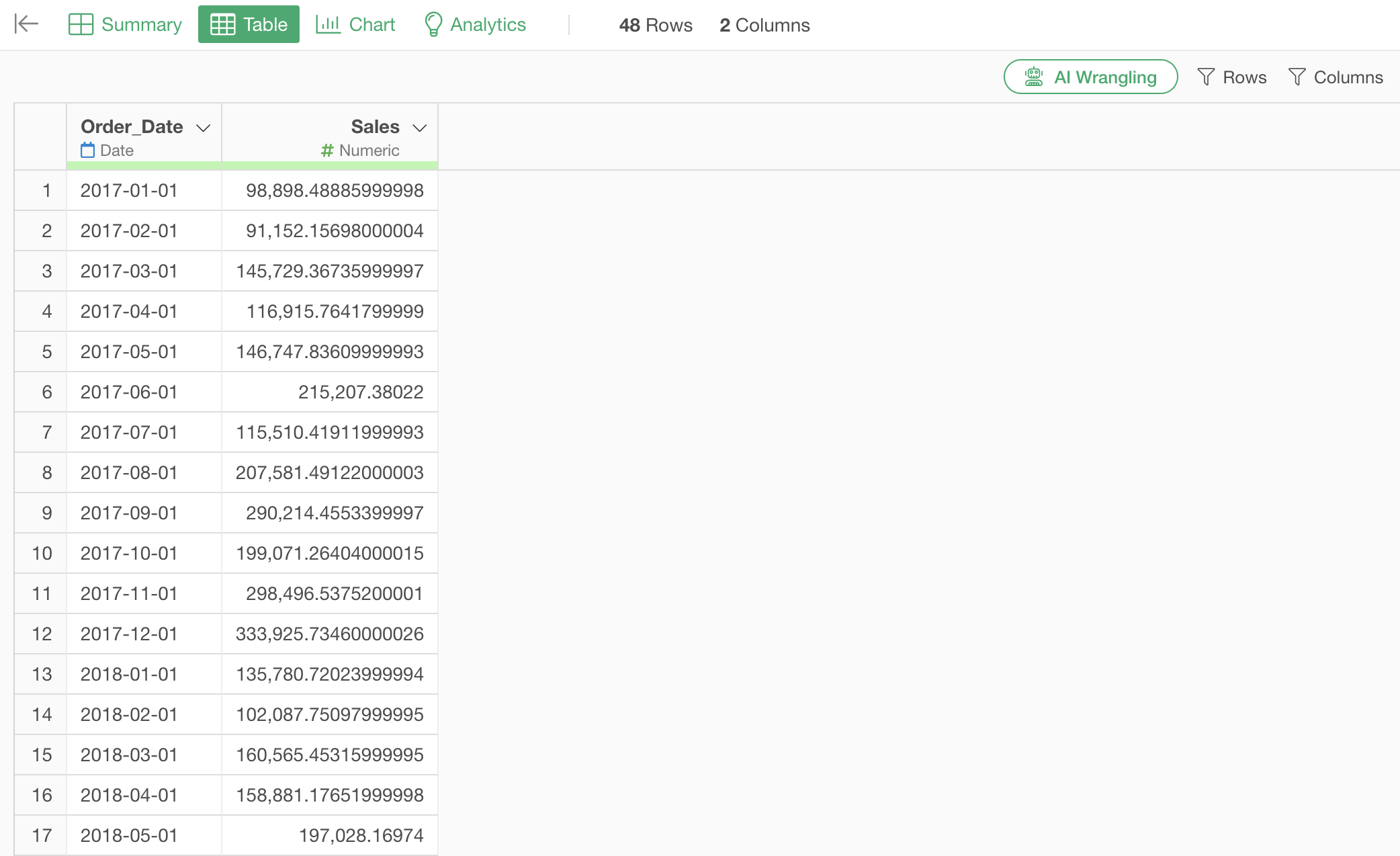
This allows you to calculate the year-over-year comparison without any issues.
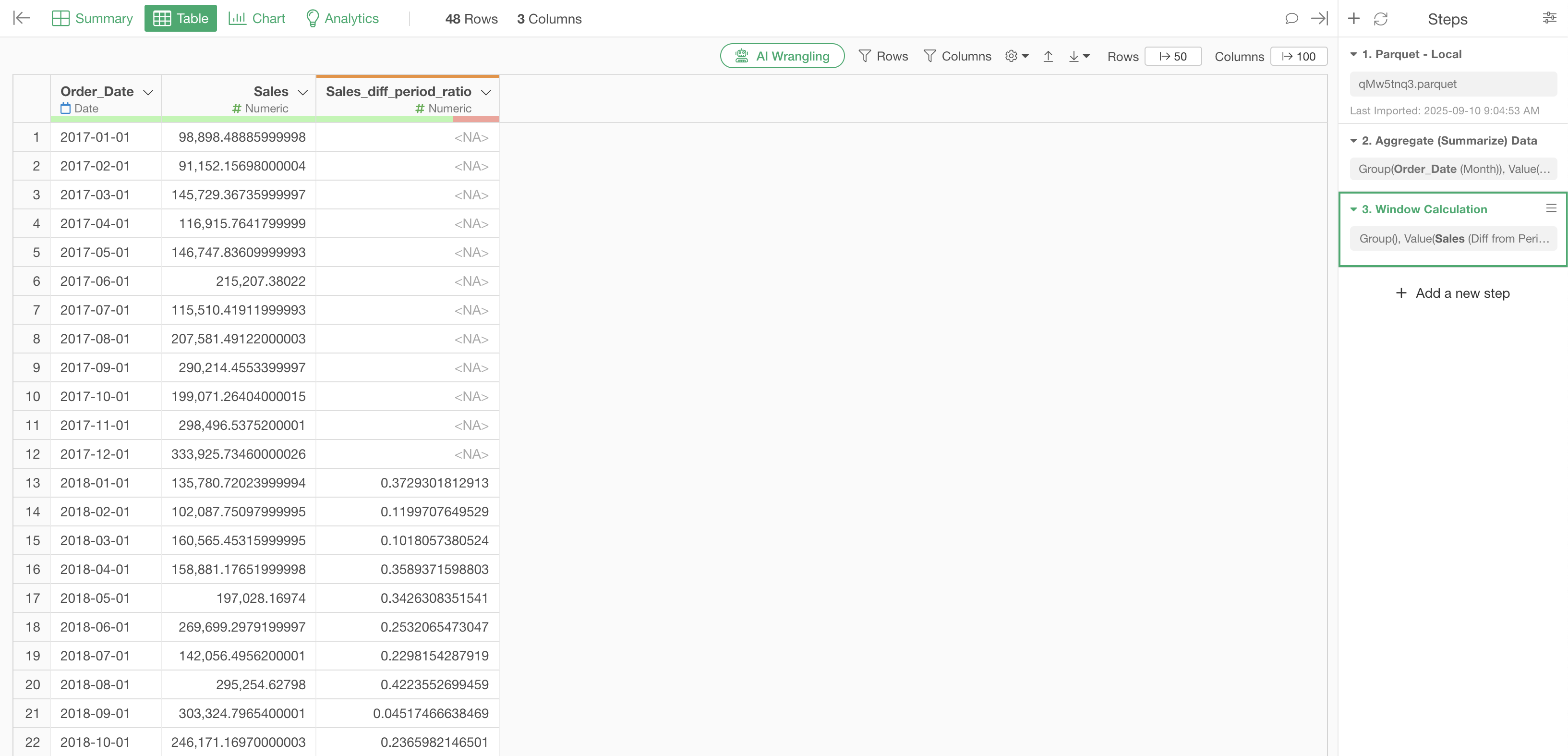
Therefore, when calculating year-over-year comparisons, each combination (e.g., 2026-01-01 and 2025-01-01) must have a one-to-one row relationship. If there is a one-to-many relationship, please aggregate the data beforehand.
For information on how to aggregate data, please refer to the following note: