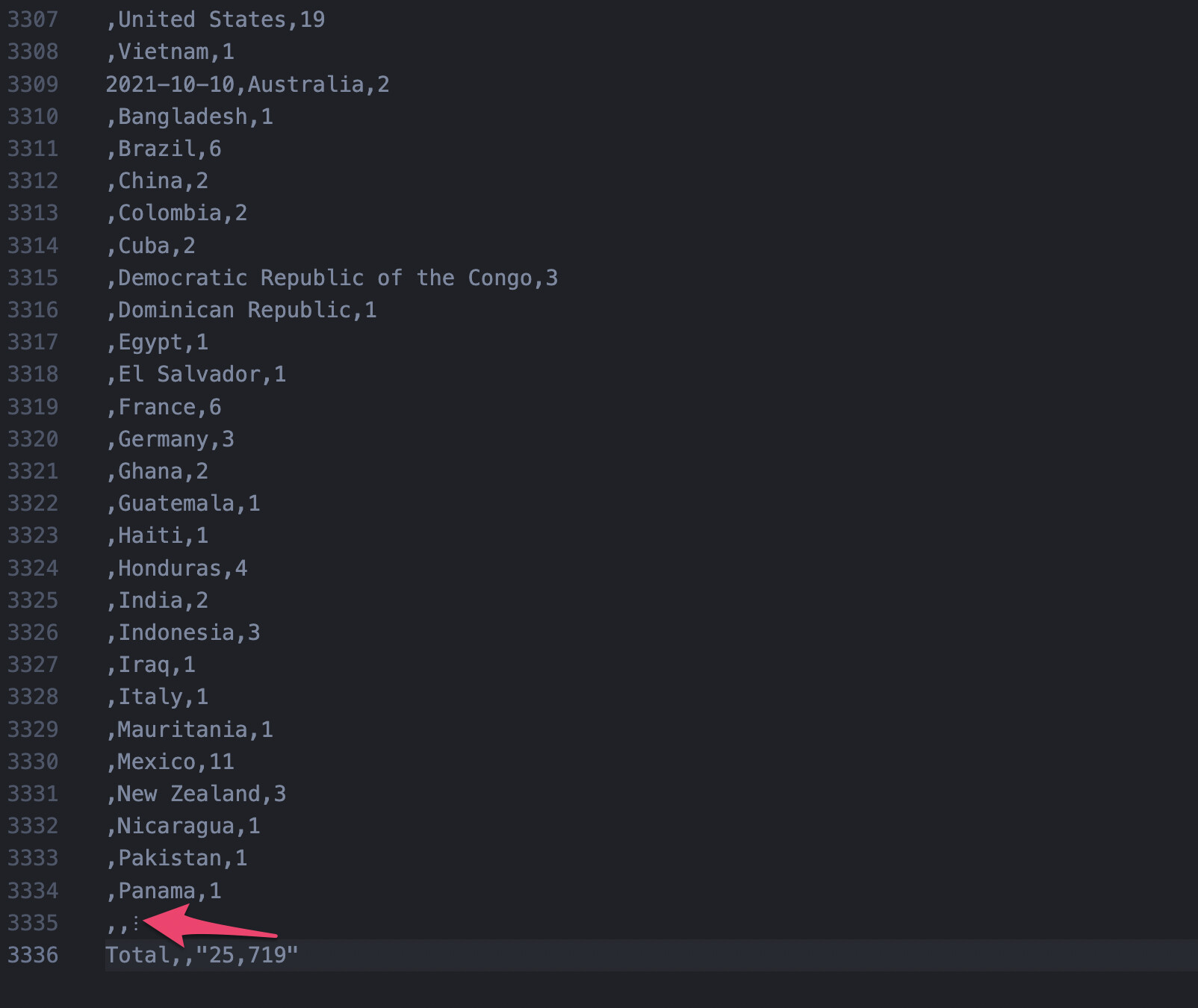
When exporting a CSV from a pivot table or summary table, you may notice that some rows in the middle of the data are displayed as “…”.
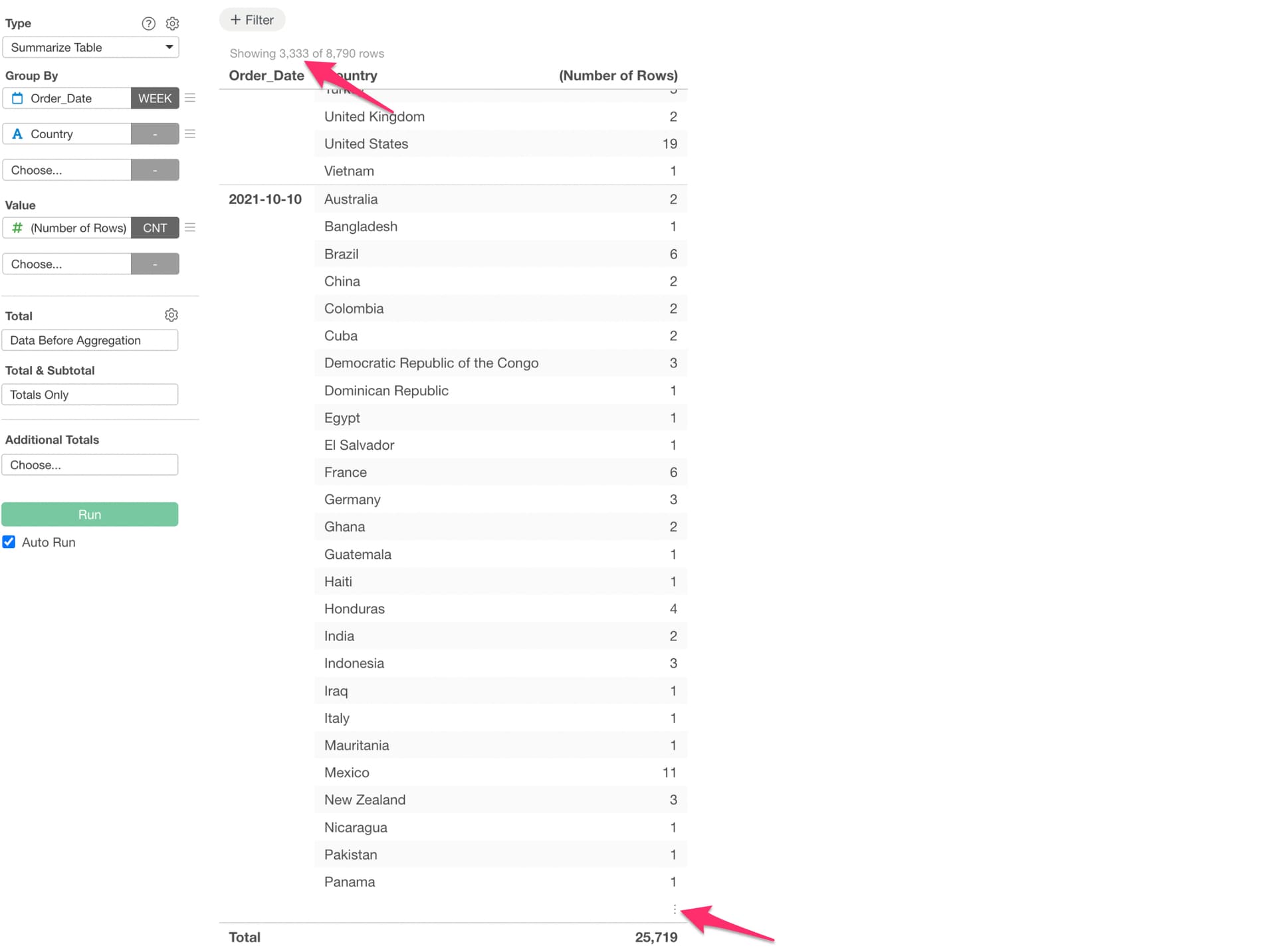
If you see text like “Showing rows” at the top of the table, subsequent rows are abbreviated for performance reasons and displayed in the “…” format.
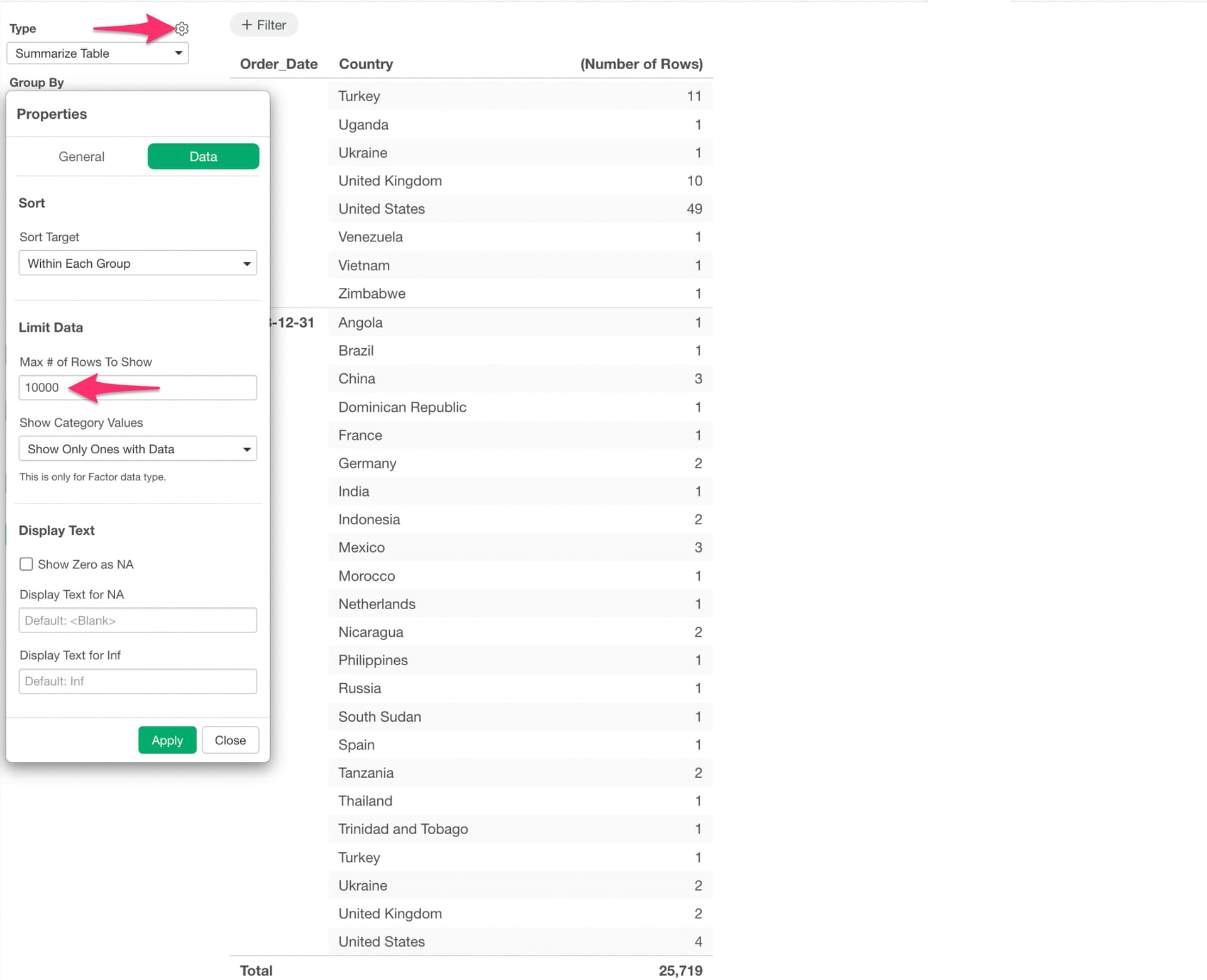
If you want to display all rows and export all data as CSV, you can change the “Max # of Rows To Show” setting. This will eliminate the “…” display and resolve the issue of data being omitted when exporting to CSV.