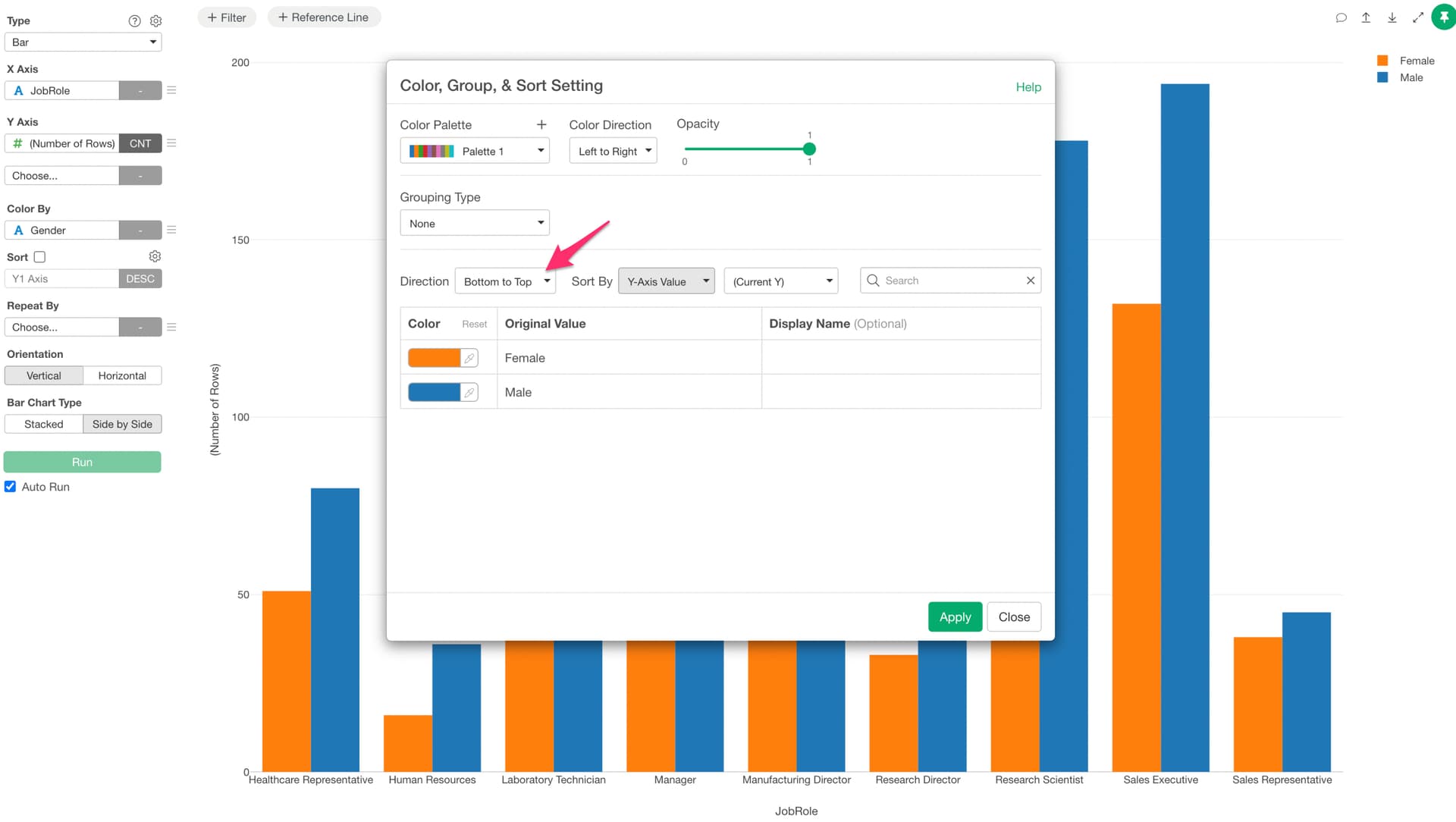
You can reverse the order of values assigned to color by changing the direction from the color menu.
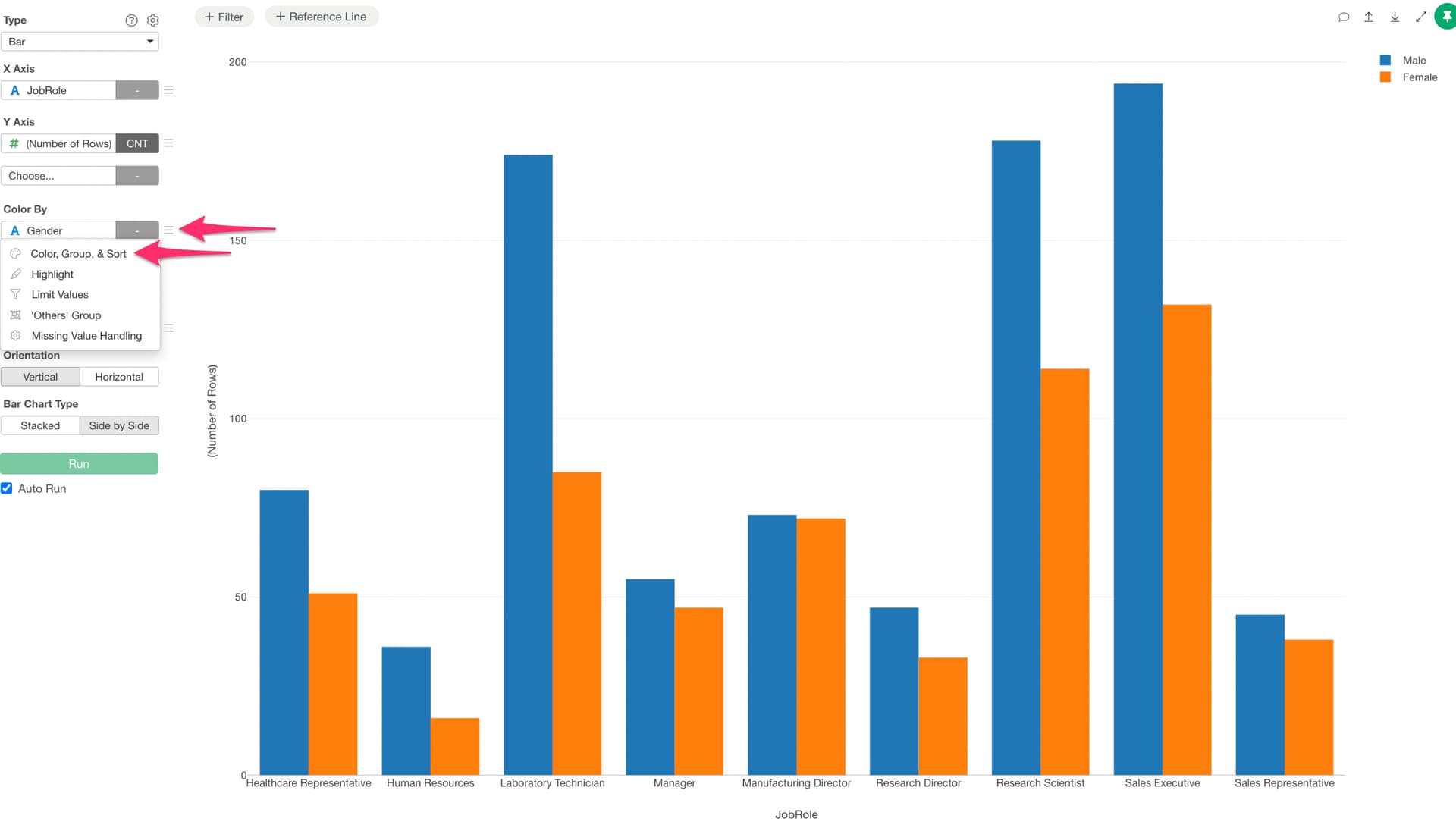
For example, suppose you have a bar chart with a “Gender” column assigned to color, and the values are displayed in the order “Male”, “Female”, but you want to change it to “Female”, “Male”.
In that case, select “Color, Group & Sort” from the color menu.
In the Color, Group & Sort settings dialog, you can reverse the order by changing the “Direction” to “Bottom to Top”.