
You may encounter a timeout error like the one below when running AI functions (e.g., text analysis, prediction):
The AI function timed out because the processing took too long. Please enable the “Parallel Processing” option to process the data faster and try again."
■ What Causes This Error This error occurs when processing a large volume of data or executing complex calculations that cannot be completed within the standard processing time limit.
■ Workarounds & Solutions Please try the following:
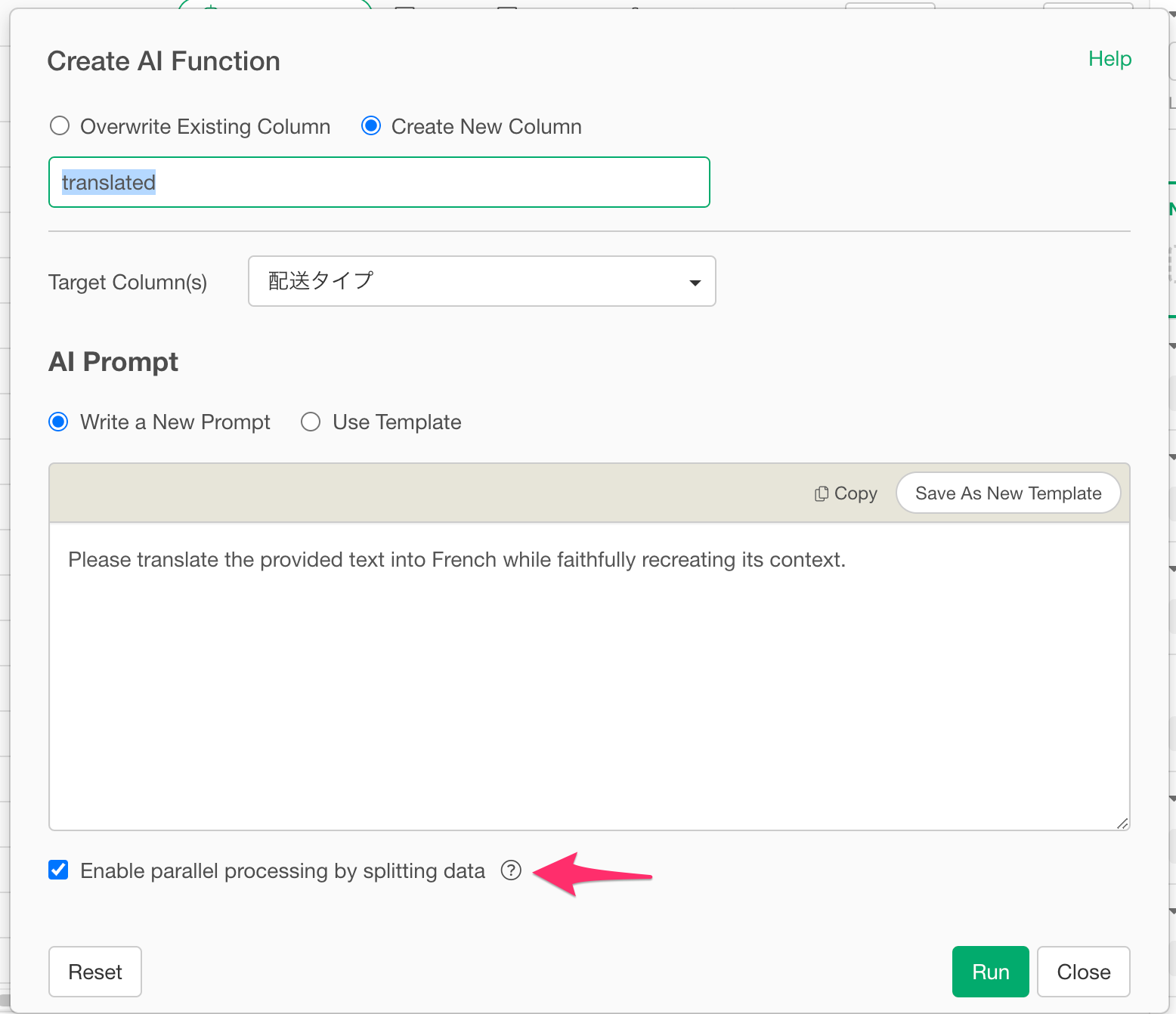
- Enable Parallel Processing — Turn on the “Parallel Processing” option in the AI function settings to improve execution speed.
- Reduce the Number of Rows — Use a filter to limit the amount of data before running the function.
- Split Your Data — Divide your dataset into smaller batches and process them separately.
■ Where to Find the Setting Please refer to the screenshot below to locate the Parallel Processing option.  *[
*[
*